Convert STL to DAE Online
Convert STereoLithography (STL) files to COLLADA Digital Asset Exchange (DAE), entirely in your browser. No upload, no sign-up. Your files never leave your device.
Drop your STL file here
or click to browse from your computer (up to 100 MB)
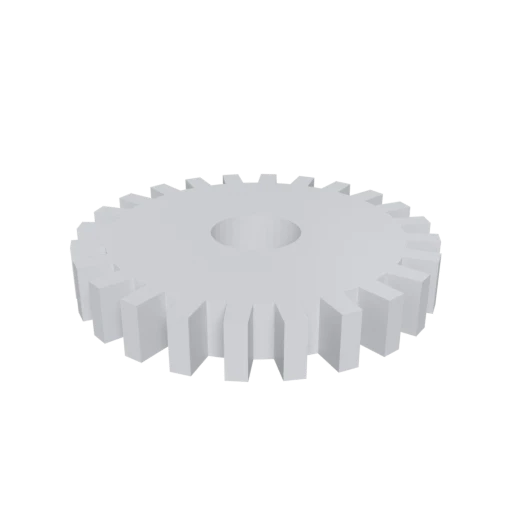
Simple mechanical part, a typical STL use case for 3D printing.
STL describes only triangulated surface geometry with facet normals. Converting to DAE adds support for Phong, Lambert, and Blinn materials with texture mapping and per face material assignments.
STL stores an unstructured list of triangles with no grouping. COLLADA organizes geometry into named nodes with transforms, making it easy to select and manipulate individual parts of a model.
STL was created by 3D Systems for stereolithography and is optimized for slicers. Converting to DAE opens your geometry to visualization, animation, and game development workflows.
Also convert from STL
Other ways to get DAE
How to Convert STL to DAE
Transform 3D printing STL files into rich COLLADA DAE assets for DCC tools.
Upload STL
Drag and drop or select your .stl file. Both binary and ASCII STL formats are accepted.
Processing
Conversion runs entirely in your browser. Triangle mesh data is parsed from the STL and written as structured COLLADA XML with proper normals and default material assignments. Your data never leaves your device.
Download ZIP
Get a ZIP archive containing the .dae XML file. Import it into Blender, Maya, SketchUp, or any COLLADA-compatible application to add materials, textures, and scene structure.
Why convert STL to DAE?
STL (STereoLithography) was created by 3D Systems in 1987 for their stereolithography CAD software. It stores geometry as an unstructured list of triangular facets, each defined by three vertices and a surface normal. The format exists in both ASCII and binary variants, but neither supports materials, texture coordinates, colors, or scene hierarchy. While STL remains the standard input for 3D printing slicers, it is too limited for workflows that require textured rendering or animation.
COLLADA (DAE) is an XML based open standard maintained by the Khronos Group, built for comprehensive asset interchange between content creation applications. It represents geometry with full material definitions (Phong, Lambert, Blinn), UV mapped textures, scene hierarchy, cameras, lights, and animation data in a single readable document. Blender, Maya, 3ds Max, SketchUp, and Cinema 4D all import DAE natively. Converting STL to DAE transforms a print only mesh into an asset ready for texturing, animation, and rendering in professional DCC tools.
Key advantages of DAE over STL
DAE supports Phong, Lambert, and Blinn shading with layered textures, while STL carries no material or color data whatsoever.
COLLADA organizes geometry into a named node hierarchy with transforms, replacing STL's flat triangle list with structured scene management.
DAE stores texture coordinate data, enabling detailed surface texturing that the STL format has no way to represent.
COLLADA can hold skeletal rigs, morph targets, and keyframe channels, opening STL geometry to motion and character workflows.
DAE imports natively into Blender, Maya, 3ds Max, SketchUp, Cinema 4D, Unity, and Godot without any additional plugins.