Convert 3MF to DAE Online
Convert 3D Manufacturing Format (3MF) files to COLLADA Digital Asset Exchange (DAE), entirely in your browser. No upload, no sign-up. Your files never leave your device.
Drop your 3MF file here
or click to browse from your computer (up to 100 MB)
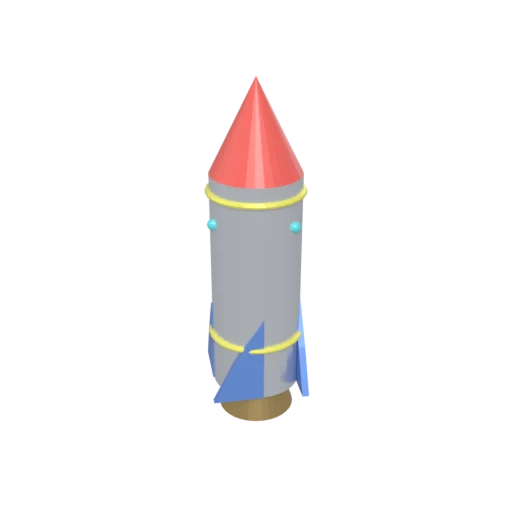
Stylized rocket with metallic body, nose cone, fins, portholes, and exhaust nozzle — multi-material 3MF model for format conversion testing.
3MF was created by the 3MF Consortium (Microsoft, HP, Autodesk, and others) specifically for additive manufacturing. Converting to DAE extracts the mesh geometry into a format built for visualization, animation, and content creation.
3MF supports basic color, texture, and material properties oriented toward printer firmware. DAE provides Phong, Lambert, and Blinn shading profiles with multi-layer texture mapping for realistic rendering.
3MF is primarily supported by slicer software and select CAD tools. COLLADA imports natively into Blender, Maya, 3ds Max, SketchUp, Cinema 4D, Unity, and Godot across all platforms.
Also convert from 3MF
Other ways to get DAE
How to Convert 3MF to DAE
Extract 3MF printing models into COLLADA DAE files for visualization and DCC tools.
Upload 3MF
Drag and drop or select your .3mf file. 3MF is a ZIP-based archive that stores mesh geometry, materials, and 3D printing metadata.
Processing
Conversion runs entirely in your browser. Mesh geometry and material data are extracted from the 3MF archive and written as COLLADA XML with structured material definitions. Your data never leaves your device.
Download ZIP
Get a ZIP archive containing the .dae XML file and any texture images. Import the .dae into Blender, Maya, SketchUp, or any COLLADA-compatible application.
Why convert 3MF to DAE?
3MF (3D Manufacturing Format) is an open standard developed by the 3MF Consortium, whose members include Microsoft, HP, Autodesk, and Stratasys. It uses an OPC-based ZIP archive to package triangle mesh geometry, color and material properties, build platform layouts, and manufacturing instructions. While 3MF is comprehensive for the additive manufacturing pipeline, support outside of slicer software and CAD tools is limited, restricting its use for visualization, rendering, and animation.
COLLADA (Collaborative Design Activity) is an XML-based open standard originally developed by Sony and now maintained by the Khronos Group. It stores polygonal geometry, Phong/Lambert/Blinn materials, UV-mapped textures, scene hierarchy, cameras, lights, physics, and animation data in human-readable XML. Converting 3MF to DAE moves print-ready models into a format that Blender, Maya, 3ds Max, SketchUp, Cinema 4D, and game engines can import natively for rendering, texturing, and animation.
Key advantages of DAE over 3MF
DAE imports natively into all major DCC tools and game engines, while 3MF is limited to slicers and select CAD applications.
COLLADA provides Phong/Lambert/Blinn shading profiles with layered textures, going beyond 3MF's print-oriented color model.
DAE stores skeletal rigs, keyframe animation, and kinematics data that 3MF's static manufacturing model cannot represent.
COLLADA structures objects in a named node tree with transforms and grouping, providing scene management for complex projects.
DAE files are readable XML that any text editor can inspect, unlike 3MF's OPC-based ZIP archive structure.