Convert 3MF to STL Online
Convert 3D Manufacturing Format (3MF) files to STereoLithography (STL), entirely in your browser. No upload, no sign-up. Your files never leave your device.
Drop your 3MF file here
or click to browse from your computer (up to 100 MB)
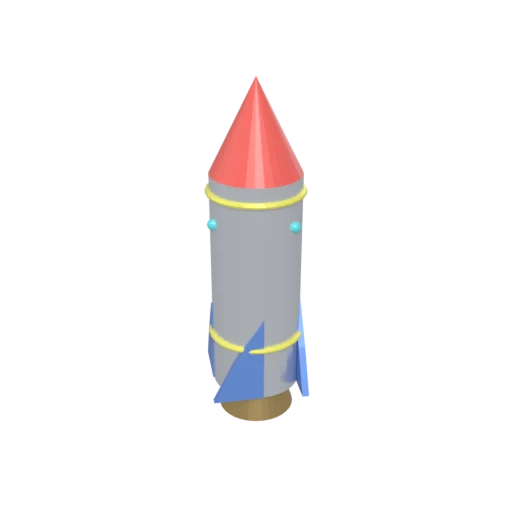
Stylized rocket with metallic body, nose cone, fins, portholes, and exhaust nozzle — multi-material 3MF model for format conversion testing.
While 3MF is gaining adoption, STL remains the most universally accepted format across all 3D printing slicers, including older and specialized industrial systems.
STL strips away 3MF's material groups, color data, print settings, and metadata, leaving only the triangulated surface mesh needed for basic slicing.
STL is supported by virtually every mesh editing, analysis, and repair tool, making it easy to check for manifold errors before printing.
Also convert from 3MF
Other ways to get STL
How to Convert 3MF to STL
Extract printable triangle geometry from 3MF archives into universal STL.
Upload 3MF
Drag and drop or select your .3mf file. 3MF is a ZIP-based archive that may contain multiple objects, material groups, and print configuration data.
Processing
Conversion runs entirely in your browser. Triangle geometry is extracted from the 3MF archive and written as an STL surface mesh. Color data, materials, and print settings are discarded. Your data never leaves your device.
Download STL
Get your STL file ready for 3D printing. Open it directly in Cura, PrusaSlicer, or any slicer to generate print toolpaths.
Why convert 3MF to STL?
3MF was created to replace STL as the standard 3D printing format, adding support for colors, materials, multiple objects, and print settings that STL cannot represent. However, not all slicers and 3D printing services have adopted 3MF. Many older slicers, online print services, and industrial printing systems still require STL as their input format.
STL represents 3D surfaces as collections of triangular facets, each defined by vertex coordinates and a face normal. This minimal representation is exactly what basic slicers need to generate tool paths. While STL loses the material and color information that 3MF provides, it guarantees compatibility with the widest range of printing tools and services. Converting 3MF to STL is useful when sharing models with systems that do not yet support the newer format.
Key advantages of STL over 3MF
Every 3D printing slicer accepts STL files natively.
STL is a flat file without ZIP compression or XML parsing requirements.
STL meshes are simple to check for printability and manifold errors.
Most online 3D printing services accept STL as their primary upload format.
Mesh repair tools like Meshmixer and Netfabb work best with STL input.