Convert 3MF to FBX Online
Convert 3D Manufacturing Format (3MF) files to Autodesk FBX (Filmbox), entirely in your browser. No upload, no sign-up. Your files never leave your device.
Drop your 3MF file here
or click to browse from your computer (up to 100 MB)
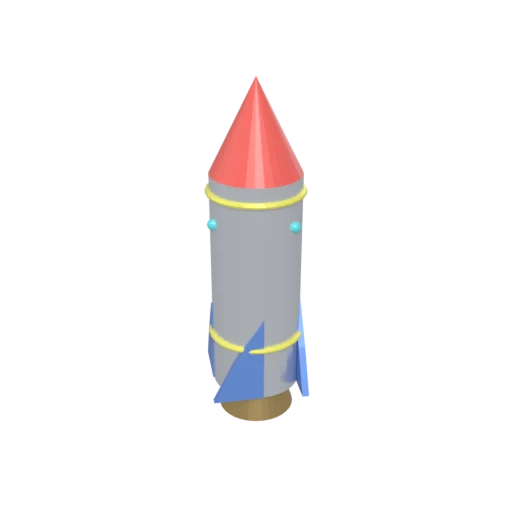
Stylized rocket with metallic body, nose cone, fins, portholes, and exhaust nozzle — multi-material 3MF model for format conversion testing.
FBX is the primary interchange format for Unity and Unreal Engine. Converting 3MF to FBX brings 3D printing models into game development pipelines.
FBX can bundle texture data inside the file, producing a self-contained asset that transfers reliably between tools without missing references.
FBX integrates directly with Maya, 3ds Max, and MotionBuilder, providing seamless import into Autodesk's production toolchain.
Also convert from 3MF
Other ways to get FBX
How to Convert 3MF to FBX
Move 3D printing models into the game engine and production FBX pipeline.
Upload 3MF
Drag and drop or select your .3mf file. 3MF is a ZIP-based format that stores mesh geometry and material data for 3D printing.
Processing
Conversion runs entirely in your browser. Geometry and materials are extracted from the 3MF archive and mapped to the FBX format structure. Your data never leaves your device.
Download FBX
Get your FBX file ready for import into Unity, Unreal Engine, Maya, 3ds Max, or any FBX-compatible production tool.
Why convert 3MF to FBX?
3MF was designed by the 3MF Consortium for additive manufacturing workflows, storing mesh geometry, color information, and print instructions in a ZIP-based archive. Game engines and film production tools do not support the 3MF format. Models created for 3D printing need conversion before they can be used in interactive applications, cinematics, or game levels.
FBX has become the standard interchange format for game development and film production. It supports polygon meshes, PBR materials, skeletal rigs with skinning weights, blend shapes, and multiple UV channels. Unity and Unreal Engine both provide mature FBX import pipelines with reliable results. Converting 3MF to FBX brings manufacturing geometry into the production pipeline where it can be textured, rigged, animated, and used in real-time applications.
Key advantages of FBX over 3MF
FBX is the primary import format for Unity and Unreal Engine.
FBX can bundle textures inside the file for reliable delivery.
FBX handles bone rigs and skinning weights for character animation.
FBX integrates directly with Maya, 3ds Max, and MotionBuilder.