Convert 3MF to GLB Online
Convert 3D Manufacturing Format (3MF) files to GL Transmission Format Binary (GLB), entirely in your browser. No upload, no sign-up. Your files never leave your device.
Drop your 3MF file here
or click to browse from your computer (up to 100 MB)
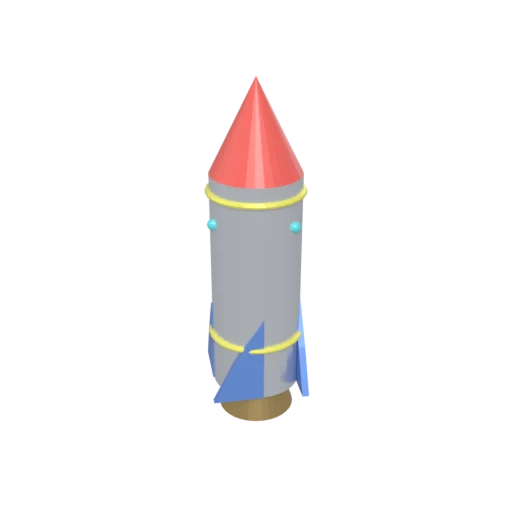
Stylized rocket with metallic body, nose cone, fins, portholes, and exhaust nozzle — multi-material 3MF model for format conversion testing.
3MF is designed for 3D printing software and has no native web support. GLB loads directly in browsers through WebGL and WebGPU without any plugins or special loaders.
3MF uses basic material definitions with color groups and base materials. GLB supports physically based metallic-roughness materials for realistic real-time rendering.
3MF stores data as XML inside a ZIP archive. GLB packs geometry, materials, and textures into a single optimized binary container with lower parsing overhead.
Also convert from 3MF
Other ways to get GLB
How to Convert 3MF to GLB
Convert 3D printing files into a web and game engine compatible GLB binary.
Upload 3MF
Drag and drop or select your .3mf file. 3MF is a ZIP-based archive containing mesh geometry, materials, and optional textures in XML format.
Processing
Conversion runs entirely in your browser. The 3MF archive is unpacked, geometry and materials are extracted from the XML payload, upgraded to PBR, and repacked into an optimized GLB binary. Your data never leaves your device.
Download GLB
Get your GLB file immediately. Load it in any 3D viewer, game engine, or embed it directly on a web page with full material support.
Why convert 3MF to GLB?
3MF (3D Manufacturing Format) is an ISO/IEC standard developed by the 3MF Consortium, whose members include Microsoft, HP, Autodesk, and Dassault Systemes. The format was created specifically for 3D printing workflows, packaging mesh geometry, materials, colors, and print ticket information into a single ZIP archive containing XML documents. While 3MF excels at communicating manufacturing intent between CAD software and 3D printers, it has no support in web browsers, game engines, or real-time rendering frameworks.
GLB is the binary packaging of glTF, maintained by the Khronos Group as the standard for real-time 3D content delivery. GLB stores geometry, PBR materials, textures, and animations in a single compact binary file. It is natively supported by three.js, Babylon.js, Unity, Unreal Engine, Blender, and every major web browser. Converting 3MF to GLB takes models designed for 3D printing and makes them usable across the web, interactive applications, and game development pipelines.
Key advantages of GLB over 3MF
GLB loads directly in browsers via WebGL without plugins or XML parsing.
GLB's metallic-roughness model produces more realistic rendering than 3MF's basic materials.
GLB is natively supported by Unity, Unreal, Blender, and all major 3D frameworks.
GLB's binary format has lower overhead than 3MF's XML-in-ZIP structure.
GLB supports skeletal animation and morph targets that 3MF cannot represent.
Binary data loads much faster than extracting and parsing XML from a ZIP archive.