Convert 3MF to USDZ Online
Convert 3D Manufacturing Format (3MF) files to Universal Scene Description (USDZ), entirely in your browser. No upload, no sign-up. Your files never leave your device.
Drop your 3MF file here
or click to browse from your computer (up to 100 MB)
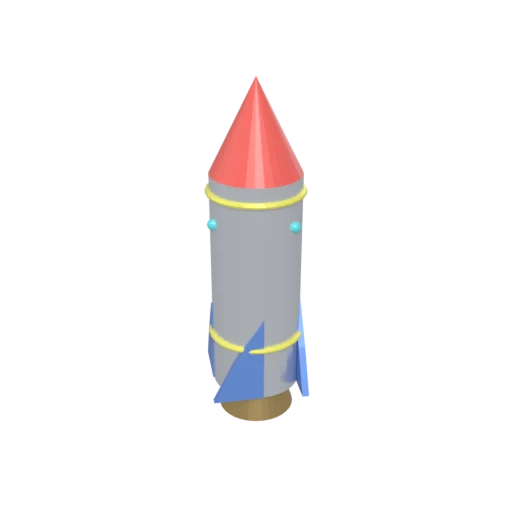
Stylized rocket with metallic body, nose cone, fins, portholes, and exhaust nozzle — multi-material 3MF model for format conversion testing.
USDZ is Apple's format for AR Quick Look on iOS, iPadOS, and visionOS. Converting 3MF to USDZ lets users preview 3D printed objects in augmented reality.
USDZ uses Pixar's USD PBR material model for physically accurate rendering, a major upgrade from 3MF's basic color and material group definitions.
USDZ is the primary format for Apple Vision Pro and RealityKit applications. 3MF models converted to USDZ can be used in visionOS spatial experiences.
Other ways to get USDZ
How to Convert 3MF to USDZ
Bring 3D printing models into Apple's AR and spatial computing platforms.
Upload 3MF
Drag and drop or select your .3mf file. 3MF is a ZIP-based archive that stores mesh geometry and material data for 3D printing workflows.
Processing
Conversion runs entirely in your browser. Geometry and materials are extracted from the 3MF archive, upgraded to PBR, and packaged as a USDZ archive. Your data never leaves your device.
Download USDZ
Get your USDZ file ready for AR Quick Look on iPhone and iPad, or use it in visionOS apps for Apple Vision Pro.
Why convert 3MF to USDZ?
3MF was designed for 3D printing, not for interactive visualization or augmented reality. A manufacturer or designer who wants to let customers preview a 3D printable product in their own space using AR Quick Look on an iPhone or iPad cannot use 3MF directly. Apple's AR ecosystem requires USDZ, and 3MF files cannot be viewed in Safari, shared in Messages, or loaded in RealityKit.
USDZ is built on Pixar's Universal Scene Description and adopted by Apple as its standard 3D format. It packages geometry, PBR materials, textures, and animations into a single archive. USDZ files can be viewed in AR Quick Look on iOS, shared for instant 3D preview in Messages, and used as assets in visionOS and RealityKit. Converting 3MF to USDZ enables product visualization and AR experiences for 3D printable models.
Key advantages of USDZ over 3MF
USDZ works directly in Safari and Messages for instant AR preview on iOS.
USDZ is the primary format for Apple Vision Pro spatial applications.
USDZ uses physically based rendering for realistic AR placement.
Customers can preview 3D printable products in their own space using AR.
USDZ loads natively in Apple's RealityKit framework for AR apps.
USDZ builds on Pixar's Universal Scene Description technology.