Convert STL to USDZ Online
Convert STereoLithography (STL) files to Universal Scene Description (USDZ), entirely in your browser. No upload, no sign-up. Your files never leave your device.
Drop your STL file here
or click to browse from your computer (up to 100 MB)
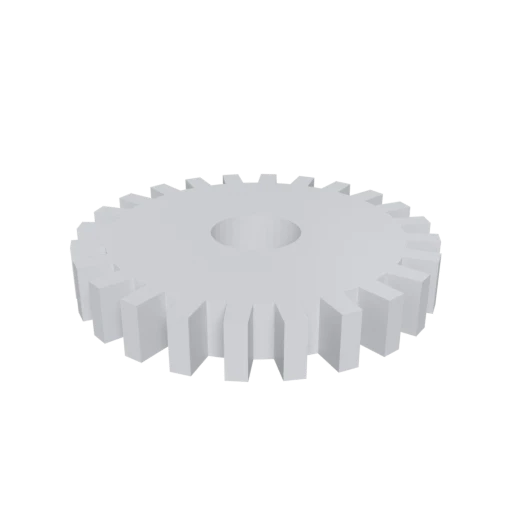
Simple mechanical part, a typical STL use case for 3D printing.
USDZ is the native format for Apple AR Quick Look, letting users view and place 3D objects in their real environment directly from Safari on iPhone, iPad, and Apple Vision Pro.
USDZ supports physically based rendering materials with metallic, roughness, and normal maps. STL has no material capability at all.
USDZ works out of the box across iOS, iPadOS, macOS, and visionOS in apps like Safari, Messages, Mail, Files, and Reality Composer.
Other ways to get USDZ
How to Convert STL to USDZ
One file is all you need. No companion files, no textures to manage.
Upload STL
Drag and drop or select your .stl file. STL is a single-file format with no external dependencies; one file is all you need.
Processing
Conversion runs entirely in your browser. The triangle mesh is extracted from your STL and repackaged into the USDZ format with a default material applied. Your data never leaves your device.
Download USDZ
Get your ready to use USDZ file immediately. Share it via link or embed it on a webpage, and anyone with an Apple device can view it in AR.
Why convert STL to USDZ?
STL was created by 3D Systems in 1987 for stereolithography machines and stores only raw triangulated surfaces. It has no support for materials, textures, color, or animation. While STL remains dominant in 3D printing, it cannot be used for augmented reality experiences, product visualization, or interactive 3D on Apple platforms, all of which require richer format capabilities.
USDZ, developed by Apple and Pixar and released in 2018, was purpose built for AR and real time 3D across the Apple ecosystem. It packages geometry, PBR materials, textures, and animation into a single file that iOS, iPadOS, macOS, and visionOS can render natively through AR Quick Look. Converting STL to USDZ lets you take a 3D printed part, CAD prototype, or scanned object and make it viewable in augmented reality on any Apple device, directly from a web link or messaging app, with no additional software required.
Key advantages of USDZ over STL
USDZ files open directly in Apple AR Quick Look for real world placement and viewing.
USDZ supports physically based rendering for realistic surface appearance across lighting conditions.
USDZ renders natively on iOS, iPadOS, macOS, and visionOS without third party apps.
USDZ can store skeletal and transform animations, whereas STL is strictly static.
Embed a USDZ link on any webpage and Apple device users can preview the model instantly.
USDZ bundles all assets into a single file with no external dependencies to manage.
E-commerce and retail use USDZ to let customers preview products in their own space before buying.