Convert GLTF to GLB Online
Convert GL Transmission Format (glTF) files to GL Transmission Format Binary (GLB), entirely in your browser. No upload, no sign-up. Your files never leave your device.
Drop your GLTF files here
Select your .gltf file along with its .mtl and texture files (up to 100 MB)
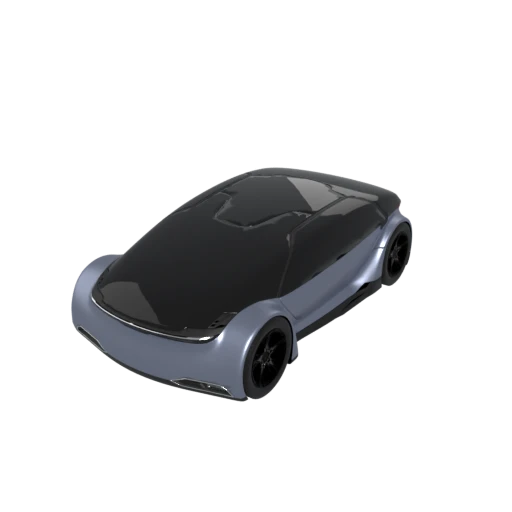
Detailed car model with PBR materials in glTF JSON format.
GLB packs the JSON scene description, binary geometry buffers, and all textures into one self contained binary file. No more managing multiple loose assets or broken file references.
Binary packing eliminates JSON overhead and Base64 encoding of embedded data, typically producing files 20 to 30 percent smaller than their multi file glTF equivalents.
A single HTTP request fetches the entire model, removing the latency of multiple round trips for separate textures and buffers. This makes GLB ideal for web delivery and real time applications.
Also convert from GLTF
How to Convert GLTF to GLB
Pack your glTF assets into a single optimized binary file.
Upload glTF
Drag and drop or select your .gltf file along with its associated .bin and texture files. All referenced assets are needed for a complete conversion.
Processing
Conversion runs entirely in your browser. The JSON scene graph and all external buffers and textures are merged into a single binary container. Your data never leaves your device.
Download GLB
Get your ready to use .glb file. The self contained binary is ready for deployment to web viewers, game engines, AR platforms, and social media.
Why convert glTF to GLB?
The multi file glTF format stores its scene description as JSON with geometry buffers and textures as separate referenced files. This layout is excellent for development, allowing artists and engineers to inspect the scene graph, swap textures, and integrate assets into build pipelines. However, distributing a folder of loosely coupled files introduces practical challenges: broken references when files are moved, multiple HTTP requests that slow web delivery, and compatibility issues with platforms that expect a single uploadable asset.
GLB solves these distribution problems by packing everything into one binary container defined by the same glTF 2.0 standard (ISO/IEC 12113:2022). The result is a compact, portable file that loads with a single fetch request and works out of the box with three.js, Unity, Unreal Engine, Blender, and AR viewers on iOS and Android. Binary packing also reduces total file size by eliminating JSON whitespace and Base64 encoding overhead. For any workflow where the final step is sharing or deploying a 3D model, GLB is the most practical delivery format available today.
Key advantages of GLB over glTF
One .glb file contains everything, eliminating broken references and simplifying asset management.
Binary packing removes JSON whitespace and Base64 overhead, producing smaller files than equivalent multi file glTF.
A single HTTP request replaces multiple round trips for separate textures and buffer files.
GLB is accepted by all major game engines, 3D viewers, social media platforms, and AR frameworks.
Sending one file is simpler than packaging and transferring a folder of interdependent assets.
GLB implements the same glTF 2.0 standard, so no features or data are lost during conversion.
GLTF vs GLB
| Feature | GLTF | GLB |
|---|---|---|
| File structure | JSON + .bin + external textures | Single binary file |
| Animation | Fully supported | Fully supported (identical spec) |
| Materials | PBR metallic-roughness + extensions | PBR metallic-roughness + extensions |
| Textures | External image files | Embedded inside binary |
| Editability | JSON is human-readable | Requires a parser to inspect |
| Distribution | Multiple files (needs ZIP) | One file, easy to share |
| File size | Slightly larger (JSON overhead) | Marginally smaller |
When to Use Each Format
Use GLTF when
- You want to inspect or edit the scene description in a text editor
- Textures need to be swapped individually without re-exporting
- Your build pipeline processes geometry and textures as separate assets
- Debugging scene structure or learning the glTF format
Use GLB when
- Uploading to platforms that expect a single file (Sketchfab, Shopify, etc.)
- Embedding in web pages with model-viewer or three.js
- Sharing via email, chat, or file transfer without worrying about folder structure
- You want the simplest possible distribution with no path issues
Known Limitations
This is a lossless repackaging. No scene data, materials, or animations are lost
The GLB cannot be edited in a text editor like the original GLTF JSON
If the original GLTF references textures via absolute paths that don't exist locally, those textures may be missing in the GLB
Base64-encoded data URIs in the GLTF are decoded and packed into the GLB binary chunk normally
GLTF to GLB FAQ
Is any data lost when packing GLTF into GLB?
No. GLB and GLTF are two packaging modes of the same glTF 2.0 specification. The conversion is a lossless repackaging operation. Everything is preserved including geometry, materials, animations, and all extensions.
Can I convert the GLB back to GLTF later?
Yes, and the round trip is lossless. You can go back and forth between GLTF and GLB as many times as needed.
Why is GLB slightly smaller than the GLTF folder?
The JSON scene description in GLTF has some whitespace and formatting overhead. GLB stores a minified version of the JSON plus all binary data in a single tightly packed container. The difference is usually small.
Do I need all the files from the GLTF folder for conversion?
Yes. The .gltf JSON references the .bin buffer and all texture images by relative path. If any referenced files are missing, those parts will be absent from the GLB output.
What a glTF File Actually Contains
A .gltf file is a JSON document describing a complete 3D scene: nodes, meshes, materials, textures, animations, and their relationships. But the JSON holds almost none of the heavy data. Vertex positions, normals, UV coordinates, and animation keyframes live in separate binary buffer files (typically .bin). Texture images sit alongside as .png or .jpg files. The JSON references these external resources by relative URI.
This separation is intentional. You can open the .gltf in a text editor and read the scene graph directly. You can swap a texture by replacing a .png without touching the scene description. You can diff the JSON in version control and see exactly which material property changed between commits. For teams iterating on 3D assets, this transparency is valuable.
The tradeoff is fragility. Move the .gltf without its companion files and the model breaks. Rename a texture and the reference goes stale. Upload to a platform that expects a single file and you are stuck packaging a folder.
How GLB Packs Everything Into One Binary
GLB is not a different format. It is the same glTF 2.0 specification (ISO/IEC 12113:2022), packaged differently. A .glb file starts with a 12-byte header: four bytes spelling "glTF" in ASCII (magic number 0x46546C67), four bytes for the version (2), and four bytes for the total file length. Everything is little-endian.
After the header come two chunks. The first is always JSON: a length field, a type marker (0x4E4F534A), and the scene description from your .gltf, now embedded in the binary. The second is the BIN chunk: a type marker (0x004E4942) followed by all the raw binary data that previously lived in external .bin files. Texture images are included here too, referenced by byte offset rather than filename. Both chunks are padded to 4-byte boundaries for efficient GPU upload.
One file, one request, zero external dependencies. Nothing can go missing because nothing is separate.
What Changes and What Stays the Same
Converting glTF to GLB is a repackaging operation, not a data transformation. The 3D content is identical before and after.
- Geometry is unchanged. Vertices, normals, tangents, UV coordinates, and index buffers are copied byte for byte into the BIN chunk.
- Materials transfer completely. The PBR metallic-roughness model, texture references, alpha modes, and extensions like KHR_materials_clearcoat are preserved in the JSON chunk.
- Animations are preserved. Skeletal animations, morph target weights, and keyframe data move into the binary chunk with no interpolation changes.
- Textures are embedded. External .png and .jpg files become byte ranges inside the BIN chunk. The image data is not re-encoded. Original bytes are stored as-is.
The only structural change is how resources reference each other. External URIs become internal buffer view references with byte offsets. If your glTF used Data URIs (Base64 encoded in the JSON), the GLB conversion actually reduces file size by storing that data as raw bytes instead.
When GLB Is the Better Choice
GLB wins whenever the asset needs to leave your development environment. For web delivery, a single HTTP request fetches the entire model, and CDN cache invalidation is atomic: update one URL, and every user gets the new version. With multi-file glTF, you risk serving stale textures from cache while the geometry has already updated.
AR platforms strongly prefer GLB. Apple's AR Quick Look, Android's Scene Viewer, and Meta's Spark AR all accept GLB directly. Social media platforms expect a single file upload. Three.js, Unity, and Unreal Engine all load GLB with minimal configuration. E-commerce platforms building 3D product viewers almost always choose GLB: one model per product, one file per model, predictable caching.
When to Keep Your glTF As-Is
GLB is not always the right answer. If multiple models on your site share the same textures, separate glTF files let the browser cache those textures once and reuse them across models. Ten GLB files each embed their own copy of a wood grain texture. Ten glTF files reference one cached image.
Version control is another reason to stay with glTF. Git can diff and merge JSON meaningfully. A teammate changes a material color, and the pull request shows that exact change. With GLB, your version control system can only report that the binary blob is different.
Build pipelines that programmatically modify assets also favor glTF. A script swapping texture resolution can replace image files without parsing binary containers. The conversion between the two is lossless in both directions. Work in glTF during development, convert to GLB for distribution. Two views of the same specification, optimized for different stages of the asset lifecycle.