Convert GLTF to FBX Online
Convert GL Transmission Format (glTF) files to Autodesk FBX (Filmbox), entirely in your browser. No upload, no sign-up. Your files never leave your device.
Drop your GLTF files here
Select your .gltf file along with its .mtl and texture files (up to 100 MB)
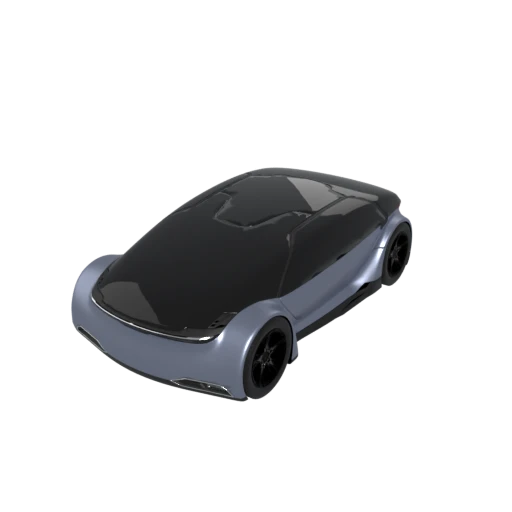
Detailed car model with PBR materials in glTF JSON format.
FBX is the preferred import format for Unity and Unreal Engine, with dedicated importers that handle meshes, materials, rigs, and animations. Converting from glTF to FBX streamlines the asset pipeline for game development.
FBX preserves skeletal hierarchies, blend shapes, and keyframe animation data. Assets converted from glTF retain their animation tracks in a format that Autodesk tools and game engines read natively.
FBX is the dominant interchange format across the film, television, and game industries. Studios and contractors who rely on Maya, 3ds Max, or MotionBuilder expect FBX deliverables.
Also convert from GLTF
How to Convert GLTF to FBX
Bridge your glTF assets into the Autodesk and game engine ecosystem.
Upload glTF
Drag and drop or select your .gltf file along with its associated .bin and texture files. All referenced assets are required for complete conversion.
Processing
Conversion runs entirely in your browser. Meshes, materials, and scene structure are translated to the FBX format. Your data never leaves your device.
Download FBX
Get your ready to use .fbx file. Import it directly into Unity, Unreal Engine, Maya, 3ds Max, or any other application that supports FBX.
Why convert glTF to FBX?
glTF 2.0 is the Khronos Group open standard designed for efficient delivery of 3D content to web browsers, AR viewers, and real time renderers. It uses a JSON based scene graph with external binary buffers and supports PBR materials, skeletal animations, and morph targets. While glTF adoption continues to grow in web and mobile contexts, the film, television, and game development industries have long standardized on Autodesk FBX as their primary interchange format for production assets.
FBX, originally developed by Kaydara and now a proprietary binary format owned by Autodesk, carries meshes, full skeletal rigs, keyframe animations, blend shapes, materials, cameras, and lights in a single file. It is the default import format for Unity and Unreal Engine and integrates directly with Maya, 3ds Max, and MotionBuilder. Converting glTF to FBX allows web ready assets to enter traditional production pipelines where FBX is expected, enabling collaboration between teams that use different toolchains without requiring manual asset recreation.
Key advantages of FBX over glTF
Unity and Unreal Engine have built in FBX importers with dedicated settings for meshes, rigs, and animations.
FBX is the native exchange format for Maya, 3ds Max, and MotionBuilder, ensuring seamless round trips.
Complex skeletal rigs, blend shapes, and multi take animation tracks are first class features in FBX.
Most studios in film and game production expect deliverables in FBX as part of their established pipelines.
FBX can embed textures directly in the binary, creating a self contained file for simpler handoff.
GLTF vs FBX
| Feature | GLTF | FBX |
|---|---|---|
| File structure | JSON + .bin + textures | Binary or ASCII (single file) |
| Animation | Full skeletal, morph, keyframe | Full skeletal, morph, keyframe |
| Materials | PBR metallic-roughness (standardized) | Phong/Lambert (PBR inconsistent) |
| Textures | JPEG, PNG, KTX2, WebP | Embedded or external (JPEG, PNG, TGA) |
| Specification | Open standard (Khronos) | Proprietary (Autodesk) |
| Default units | Meters | Centimeters |
| Scene hierarchy | Full node tree | Full node tree |
When to Use Each Format
Use GLTF when
- Working with web 3D or AR pipelines
- You want standardized, predictable PBR materials
- The format's openness and documentation matter
- You need to edit the scene description as JSON
Use FBX when
- Importing into Unity, Unreal, or Autodesk DCC tools
- Your team's pipeline is built around FBX interchange
- You need a single binary file with embedded textures for easy sharing
- Working with animation pipelines in Maya or MotionBuilder
Known Limitations
PBR metallic-roughness materials are converted to Phong approximations. Visual results will differ under some lighting conditions
Advanced glTF extensions (clearcoat, transmission, sheen, iridescence) are dropped since FBX has no equivalent
KTX2 and WebP textures are decoded to standard formats (PNG, JPEG) for FBX compatibility
Unit conversion from meters to centimeters may cause scale differences if the importer does not auto-correct
GLTF to FBX FAQ
Is this the same as converting GLB to FBX?
Yes, the result is identical. GLTF and GLB are two packaging modes of the same format. The conversion pipeline processes them the same way.
Will my PBR materials survive?
Basic metallic and roughness values are approximated as Phong shading properties. The model will look recognizable, but PBR-specific effects will not be the same. Plan to adjust materials after importing into your target tool.
Are animations preserved?
Yes. Both formats support skeletal animation, morph targets, and keyframe data. Animation transfer between GLTF and FBX is generally reliable.
Can I go back from FBX to GLTF without losing data?
A round trip will lose some fidelity. PBR materials that were approximated as Phong for FBX won't perfectly reconstruct. Geometry and animation survive well, but material properties degrade across the round trip.