Convert STP to FBX Online
Convert STEP (Standard for the Exchange of Product Data) files to Autodesk FBX (Filmbox), entirely in your browser. No upload, no sign-up. Your files never leave your device.
Drop your STP file here
or click to browse from your computer (up to 100 MB)
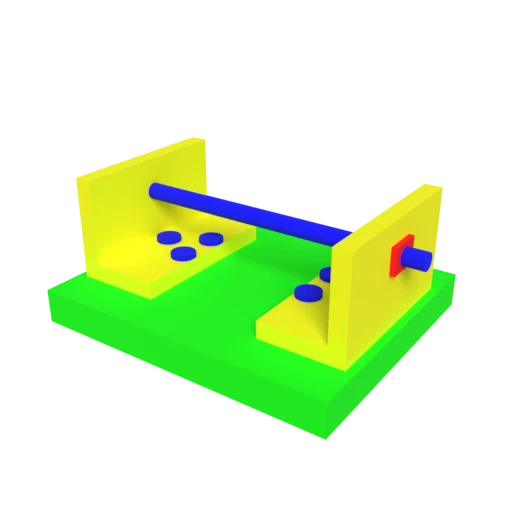
CAD bracket assembly — typical STEP engineering model for format conversion testing.
FBX is the standard interchange format for animation software. Converting STEP geometry to FBX enables rigging and animation in tools like Maya and MotionBuilder.
Unity and Unreal Engine have native FBX importers, making this conversion the fastest path from CAD design to game assets.
STEP surface colors and properties map to FBX material definitions, preserving visual appearance across applications.
Also convert from STP
Other ways to get FBX
How to Convert STP to FBX
Convert your CAD STEP file to an FBX asset for game engines and animation tools.
Upload STP
Drag and drop or select your .stp file. STEP stores precise CAD geometry as boundary representation data used in engineering workflows.
Processing
Conversion runs entirely in your browser. B-rep surfaces are tessellated into polygon meshes and mapped to FBX material definitions. Your data never leaves your device.
Download FBX
Get your FBX file ready for import into Unity, Unreal Engine, Maya, or any other DCC tool in your production pipeline.
Why convert STEP to FBX?
STEP files contain precise engineering geometry intended for CAD interoperability, but this parametric representation is not compatible with animation, rigging, or game development pipelines. Studios and developers working in Maya, 3ds Max, or game engines need mesh-based formats with support for skeletal animation, blend shapes, and embedded textures. Bridging the gap from CAD to content creation requires converting STEP's exact surfaces into a production-ready mesh format.
FBX is the de facto standard for 3D asset exchange in the entertainment industry, supporting meshes, materials, skeletal animation, and scene hierarchies. Converting STEP to FBX tessellates B-rep geometry into polygon meshes and maps surface properties to FBX material definitions. The result imports directly into Unity, Unreal Engine, Maya, and MotionBuilder, enabling designers to use CAD models as starting points for game assets, architectural visualizations, and animated sequences.
Key advantages of FBX over STEP
Unity and Unreal import FBX directly with full material support.
FBX supports skeletal rigs, blend shapes, and keyframe animation.
Named object trees preserve assembly structure from the CAD model.
FBX is the dominant format in film, games, and VFX pipelines.
Textures can be packed inside the FBX binary for self-contained assets.
Supported by Maya, 3ds Max, Blender, Cinema 4D, and MotionBuilder.