Convert STL to OBJ Online
Convert STereoLithography (STL) files to Wavefront OBJ, entirely in your browser. No upload, no sign-up. Your files never leave your device.
Drop your STL file here
or click to browse from your computer (up to 100 MB)
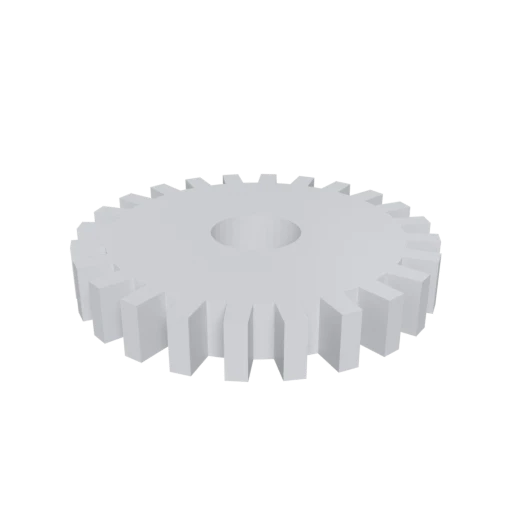
Simple mechanical part, a typical STL use case for 3D printing.
OBJ pairs with a companion .mtl file to define Phong materials and texture references. STL has no material or color capability whatsoever.
Both STL and OBJ have ASCII variants, but OBJ's vertex and face syntax is cleaner and more widely used in scripting, parsing, and procedural generation workflows.
OBJ is one of the most broadly supported 3D formats. Virtually every 3D modeling tool, game engine, and visualization platform can import OBJ files.
Also convert from STL
Other ways to get OBJ
How to Convert STL to OBJ
One file is all you need. No companion files, no textures to manage.
Upload STL
Drag and drop or select your .stl file. STL is a single-file format with no external dependencies; one file is all you need.
Processing
Conversion runs entirely in your browser. The triangle mesh is extracted from your STL and written out as OBJ geometry with a companion .mtl material file. Your data never leaves your device.
Download OBJ
Get your ready to use OBJ file set as a ZIP archive containing the .obj geometry file and the .mtl material definition file.
Why convert STL to OBJ?
STL was designed by 3D Systems in 1987 for driving stereolithography machines. It stores only triangulated surfaces as vertex coordinates and face normals, with no support for materials, textures, color, or object grouping. While this minimal format is perfect for 3D printing slicers, it falls short when you need to organize geometry, assign materials, or work with tools that expect a richer mesh description.
Wavefront OBJ, developed in the early 1990s, adds several practical capabilities on top of raw geometry. Its companion .mtl file format provides Phong material definitions and texture mapping references. Named groups let you label and organize parts of a model logically. And because OBJ is a plain ASCII text format with decades of ecosystem support, it opens cleanly in virtually every 3D application, from Blender and Maya to MeshLab and custom processing scripts. Converting from STL to OBJ gives your geometry a more structured, material-capable representation while staying in a universally compatible format.
Key advantages of OBJ over STL
OBJ's companion .mtl file defines material properties that STL cannot represent.
OBJ supports UV texture coordinates and texture file references for surface detail.
OBJ lets you organize faces into named groups and objects for logical structure.
OBJ's text format is straightforward to parse, edit, and generate with scripts.
Virtually every 3D tool, engine, and viewer can import OBJ files without plugins.
STL vs OBJ
| Feature | STL | OBJ |
|---|---|---|
| File structure | Flat triangle list | Text .obj + optional .mtl |
| Materials | None | Phong / Lambert via .mtl |
| Textures | None | Supported (external files) |
| Geometry | Triangles only, no vertex sharing | Indexed vertices, polygons supported |
| Groups | None | Named groups and objects |
| Editability | Binary is not readable | ASCII is human-readable |
| Primary use | 3D printing | General 3D interchange |
When to Use Each Format
Use STL when
- Working with 3D printers and slicer software
- You only need raw geometry with no appearance data
- The model was exported from CAD or scanning software
- Maximum compatibility with manufacturing hardware
Use OBJ when
- You want to add materials or texture references to the model after conversion
- The target tool expects OBJ and cannot read STL
- You need a human-readable file you can inspect and edit manually
- You want indexed vertices to reduce redundant data
Known Limitations
STL has no materials or textures, so the OBJ will have no .mtl file unless you create one manually
Both formats are static geometry only. Neither supports animation
STL normals are per-face. The converter can generate per-vertex normals for smoother shading, but this adds processing time
Neither format stores unit information, so scale ambiguity remains after conversion
STL to OBJ FAQ
Will the OBJ file be larger or smaller than the STL?
For ASCII STL, the OBJ will be a similar size or slightly smaller thanks to vertex indexing. For binary STL, the OBJ will typically be larger because OBJ is text-based while binary STL is compact.
Does this conversion add any materials?
No. Since STL has no material data, there is nothing to convert. The OBJ will contain only geometry. You can create a .mtl file manually or in a 3D editor to add materials afterward.
Can I edit the OBJ file in a text editor?
Yes. OBJ is plain ASCII text. You can open it, inspect vertex positions, and even modify geometry by hand. This is one of the main reasons people convert from binary STL to OBJ.
Will the mesh look different after conversion?
The triangle geometry is identical. The only visual difference may come from normal handling. STL stores a face normal per triangle; OBJ can store per-vertex normals for smoother shading.
From Triangle Soup to a Real Mesh
STL files store geometry as what programmers call "triangle soup." Each triangle lists its own three vertex coordinates independently, even when two triangles share an edge. A cube in STL has 36 vertices (12 triangles times 3), not the 8 unique corners a human would count. No shared vertices, no index table, no topology. Every facet is an island.
This made sense in 1987 when 3D Systems created STL for stereolithography machines. A printer reads triangles one at a time. It does not care whether vertex 14 is the same point as vertex 27. It just needs coordinates and a normal to aim the laser.
OBJ works differently. Wavefront's format stores each unique vertex position once, then references positions by index when defining faces. That cube becomes 8 vertices and 12 face definitions pointing back to them. The geometry is identical, but the structure is fundamentally different. Vertices know their neighbors. Edges connect. The mesh has topology.
What STL Cannot Carry
STL's minimalism goes beyond vertex duplication. The format stores exactly two things per triangle: three vertex positions and one face normal vector. That is the entire specification.
No material definitions. No color assignments. No texture coordinates. No named groups or object hierarchy. No units. A 3D printed chess piece and a skyscraper model look identical in the file: gray triangles with no context.
For slicing software, none of this matters. Cura and PrusaSlicer need triangles and nothing else. But the moment you move beyond printing into rendering, visualization, or digital content creation, STL's bare geometry is not enough. You need a format that can hold appearance data alongside shape data.
What OBJ Adds to the Picture
OBJ paired with its companion MTL file introduces the material layer that STL lacks. MTL defines Phong shading properties: ambient color (Ka), diffuse color (Kd), specular color (Ks), specular exponent (Ns), and transparency (d). Each material can reference external texture images through map declarations: map_Kd for diffuse textures, bump for normal maps.
OBJ supports UV texture coordinates through vt entries. These coordinates tell a renderer how to wrap a 2D image onto the 3D surface. Without UVs, you cannot apply a wood grain texture to a tabletop or a label to a bottle. STL has no equivalent.
Named groups (g) and objects (o) add structural organization. A mechanical assembly can have "housing," "gear_1," and "shaft" as separate selectable groups within one file. In STL, every triangle belongs to the same anonymous pool.
The Vertex Merge: What Happens During Conversion
The most important transformation during STL to OBJ conversion is vertex merging, also called vertex welding. The converter scans every vertex and identifies positions that match within floating point tolerance. Duplicates collapse into a single indexed entry.
The numbers are substantial. A typical mesh vertex is shared by 4 to 6 adjacent triangles. A 100,000 triangle STL contains 300,000 vertex entries but only around 50,000 unique positions. After merging, the OBJ stores those vertices once and references them by index. File size drops and the mesh gains proper connectivity.
That connectivity matters for editing. In Blender or Maya, loop selection follows connected edges. Bevel operations need to know which faces share a vertex. Subdivision surface needs manifold topology. None of these work on unmerged triangle soup. Converting STL to OBJ is often the first step in making a 3D print file editable in a general purpose modeling tool.
Common Workflows That Start with This Conversion
Converting STL to OBJ is rarely the final step. It bridges the manufacturing world and the visual world.
- Product visualization from print files. A designer has STL files for a 3D printed product and needs rendered images for a store listing. Converting to OBJ allows material assignment in Blender or KeyShot: matte plastic for the body, glossy metal for the fasteners, transparent resin for the lens cover.
- Preparing scanned models for rendering. 3D scanners frequently output STL. Medical models, archaeological artifacts, and reverse engineered parts start as raw STL meshes. Converting to OBJ and adding materials makes them presentable in reports and publications.
- Multi-part model organization. CAD assemblies exported as STL often merge all parts into one triangle list. Converting to OBJ and separating geometry into named groups restores part structure, letting you hide, color, or transform components independently.
- Text based pipeline processing. OBJ is plain ASCII. Developers write Python scripts to parse vertex data, filter faces, or assign materials programmatically. Binary STL requires a specialized parser, and ASCII STL uses a verbose syntax that is harder to script against.