Convert GLTF to OBJ Online
Convert GL Transmission Format (glTF) files to Wavefront OBJ, entirely in your browser. No upload, no sign-up. Your files never leave your device.
Drop your GLTF files here
Select your .gltf file along with its .mtl and texture files (up to 100 MB)
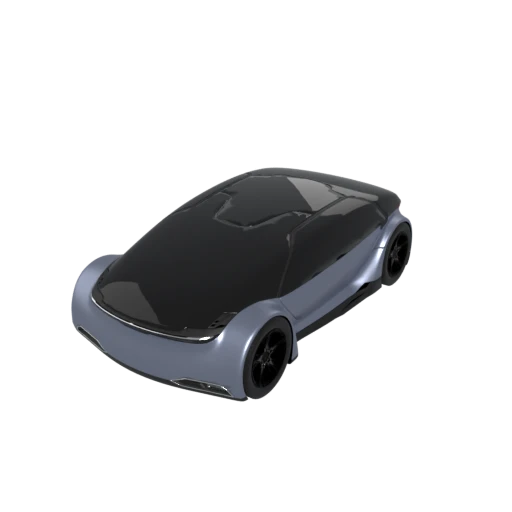
Detailed car model with PBR materials in glTF JSON format.
OBJ is recognized by virtually every 3D application, from Blender and Maya to CAD tools like SolidWorks and Fusion 360. Converting from glTF gives you a file that opens anywhere without plugins.
The conversion produces both an .obj geometry file and a companion .mtl material file, packaged together in a ZIP download. Color, specularity, and opacity values are carried over from the glTF PBR materials.
Many CNC machines, scientific visualization tools, and older rendering pipelines only accept OBJ. Converting from glTF bridges modern PBR workflows and established manufacturing or research toolchains.
Also convert from GLTF
How to Convert GLTF to OBJ
Convert your glTF scene to the universally supported OBJ format.
Upload glTF
Drag and drop or select your .gltf file along with its referenced .bin and texture files. All associated assets are needed for accurate conversion.
Processing
Conversion runs entirely in your browser. Geometry is extracted to OBJ format and material properties are written to a companion MTL file. Your data never leaves your device.
Download ZIP
Get a ZIP archive containing both the .obj and .mtl files. Extract the archive and import the .obj into your preferred 3D application, which will automatically locate the bundled .mtl.
Why convert glTF to OBJ?
glTF 2.0 is the modern open standard for 3D interchange, maintained by the Khronos Group and designed for efficient real time rendering. Its multi file structure separates the JSON scene graph from binary buffers and textures, supporting PBR materials, skeletal animations, morph targets, and complex scene hierarchies. While glTF excels in web and game engine contexts, many established workflows in manufacturing, scientific research, and legacy content pipelines require simpler interchange formats that prioritize geometry fidelity over rendering features.
Wavefront OBJ, introduced by Wavefront Technologies in the 1980s, stores geometry as plain ASCII text with a straightforward line based syntax for vertices, normals, texture coordinates, and polygonal faces. Material definitions live in a separate .mtl companion file using the Phong reflection model. Despite its age, OBJ remains one of the most universally supported 3D formats in existence. Its simplicity makes it ideal for scripts, automated processing, and tools that do not need animation or complex material graphs. Converting from glTF to OBJ extracts the static geometry and basic materials into a format that works in practically any 3D software.
Key advantages of OBJ over glTF
OBJ is recognized by virtually every 3D modeling, CAD, and visualization application available today.
Geometry stored as readable ASCII makes files easy to inspect, diff, and edit with standard text tools.
The line based syntax requires no specialized library, letting scripts in any language process OBJ files with minimal code.
The format specification has remained unchanged since the 1980s, ensuring long term readability.
The companion .mtl file keeps materials independent from geometry, allowing either to be modified without affecting the other.
OBJ files have no runtime requirements and do not depend on any specific rendering engine or SDK.
GLTF vs OBJ
| Feature | GLTF | OBJ |
|---|---|---|
| File structure | JSON + .bin + external textures | Text .obj + .mtl + textures |
| Animation | Full skeletal & morph targets | Not supported |
| Materials | PBR metallic-roughness | Phong / Lambert only |
| Textures | JPEG, PNG, KTX2, WebP | External files (JPEG, PNG, etc.) |
| Compression | Draco, meshopt | None (ASCII text) |
| Scene hierarchy | Full node tree | Flat groups only |
| File size | Compact with compression | Large (verbose text) |
When to Use Each Format
Use GLTF when
- Working with web 3D, AR, or modern rendering pipelines
- You need standardized PBR materials and animations
- File size and compression matter
- You want an open, well-documented format
Use OBJ when
- The receiving software only reads OBJ (legacy tools, CAD programs)
- You need a text-based format for scripting or manual editing
- Only the static mesh is needed, not animations or hierarchy
- Interoperability with the widest possible range of tools is the goal
Known Limitations
PBR materials are downgraded to Phong approximations. Metallic and roughness values have no direct OBJ equivalent
All animation data (skeletal, morph targets, keyframes) is discarded
Scene hierarchy is flattened to OBJ groups. Node transforms are baked into vertex positions
KTX2 and WebP textures are decoded to PNG since OBJ tools expect standard image formats
GLTF to OBJ FAQ
Is this the same as converting GLB to OBJ?
Effectively yes. GLTF and GLB contain the same data in different packaging. The conversion process and output are identical regardless of which glTF packaging you start from.
Will my GLTF textures be included?
Yes. External texture images referenced by the GLTF are carried over and referenced in the .mtl file. They must be accessible at the paths specified in the GLTF at conversion time.
How much larger will the OBJ be?
Expect roughly 5 to 10 times larger than a compressed GLTF. OBJ is ASCII text with no compression support. A 2 MB GLTF asset could easily produce a 10 to 20 MB OBJ.
Can I preserve the scene hierarchy?
Not in OBJ. The format only supports flat groups, not hierarchical node trees. Parent/child relationships and node transforms are baked into the final vertex positions.