Convert GLTF to 3MF Online
Convert GL Transmission Format (glTF) files to 3D Manufacturing Format (3MF), entirely in your browser. No upload, no sign-up. Your files never leave your device.
Drop your GLTF files here
Select your .gltf file along with its .mtl and texture files (up to 100 MB)
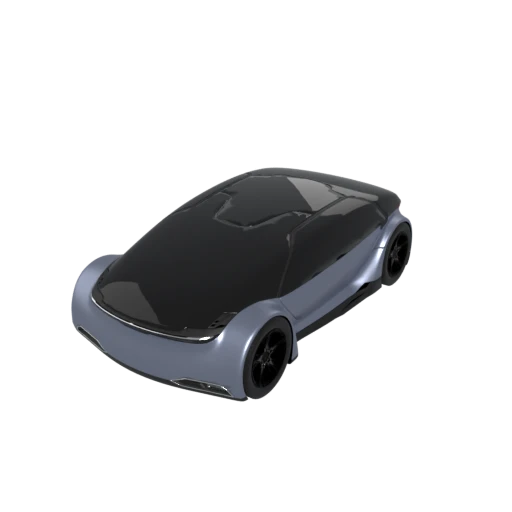
Detailed car model with PBR materials in glTF JSON format.
glTF is the Khronos Group's open standard for real-time 3D rendering. 3MF is the 3MF Consortium's open standard for additive manufacturing. This conversion bridges the two, preparing screen-optimized models for physical 3D printing in any major slicer.
glTF's PBR material properties (base color, metallic factor, roughness) are mapped to 3MF's material and color system. Per-vertex and per-face colors are preserved so multi-color printers can reproduce the model's appearance.
glTF supports complex scene hierarchies with nested nodes, cameras, and lights. The conversion flattens this structure and discards non-printable elements, producing clean geometry that slicers can process without confusion.
Also convert from GLTF
How to Convert GLTF to 3MF
Convert your glTF scene to a print-ready 3MF file without uploading anything to a server.
Upload GLTF
Drag and drop or select your .gltf file along with its companion .bin and texture files. All referenced assets are needed for a complete conversion.
Processing
Conversion runs entirely in your browser. The glTF scene graph is flattened, geometry is extracted, and materials are mapped to 3MF's format. Your data never leaves your device.
Download 3MF
Get a single .3mf file containing your model with colors and materials. Import it directly into Cura, PrusaSlicer, or any slicer that supports 3MF.
Why convert GLTF to 3MF?
glTF (GL Transmission Format) is an open standard developed by the Khronos Group for delivering 3D content to web applications, AR experiences, and game engines. In its JSON form, a glTF file references external binary buffers (.bin) and image textures, creating a multi-file asset bundle optimized for streaming and real-time rendering. Its PBR material model, animation support, and scene hierarchy make it the dominant format for interactive 3D on the web, but these features are irrelevant to 3D printers, which need solid geometry and manufacturing metadata instead.
3MF (3D Manufacturing Format) was designed from the ground up for additive manufacturing by a consortium that includes Microsoft, HP, Autodesk, and Stratasys. It stores mesh geometry, per-triangle colors, named components, and build plate configuration in an XML-based ZIP archive following the Open Packaging Conventions. Converting glTF to 3MF strips away animations and PBR shaders while preserving geometry and color data. The result is a compact, slicer-ready file that every major 3D printing application opens natively.
Key advantages of 3MF over GLTF for 3D printing
3MF was designed specifically for additive manufacturing by the 3MF Consortium, while glTF targets real-time rendering on screens.
3MF is a single self-contained ZIP archive, unlike glTF which depends on separate .bin buffers and texture image files.
3MF can define part placement, orientation, and scale on the build plate through print tickets that glTF has no way to express.
Multi-part models are stored as individually named build items with their own transforms, making complex assembly management straightforward in any slicer.
Cura, PrusaSlicer, BambuStudio, and Simplify3D all treat 3MF as their preferred import format for 3D printing workflows.