Convert OBJ to 3MF Online
Convert Wavefront OBJ files to 3D Manufacturing Format (3MF), entirely in your browser. No upload, no sign-up. Your files never leave your device.
Drop your OBJ files here
Select your .obj file along with its .mtl and texture files (up to 100 MB)
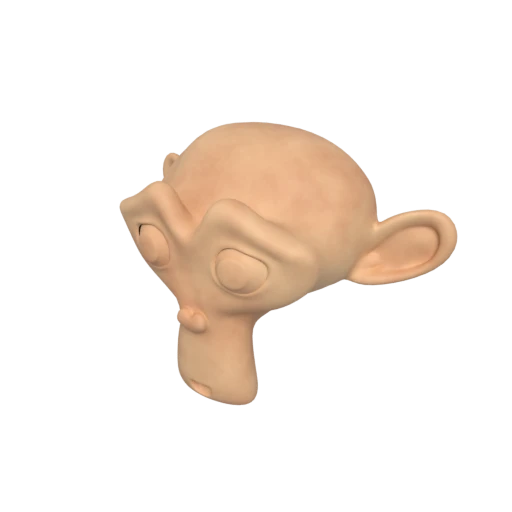
Suzanne with baked texture — demonstrates OBJ + MTL + texture conversion.
OBJ was introduced in the 1980s by Wavefront Technologies and lacks support for colors, print settings, and multi-part assemblies. Converting to 3MF gives your model all the metadata modern slicers expect while keeping the original geometry intact.
OBJ material definitions from the companion .mtl file, including diffuse color, opacity, and specular properties using the Phong reflection model, are mapped to 3MF's per-triangle color system for multi-color 3D printers.
OBJ stores geometry as verbose ASCII text, resulting in large files for detailed models. 3MF uses indexed vertex references in compressed XML, producing significantly smaller files without any geometric loss.
Also convert from OBJ
Other ways to get 3MF
How to Convert OBJ to 3MF
Upload your OBJ file with its materials and download a modern 3MF ready for any slicer.
Upload OBJ
Drag and drop or select your .obj file. If you have a companion .mtl file and textures, include them to preserve material information.
Processing
Conversion runs entirely in your browser. Geometry and material data are read from the OBJ and MTL files and repackaged into the 3MF XML structure. Your data never leaves your device.
Download 3MF
Get a single .3mf file with your model geometry and colors. Open it in Cura, PrusaSlicer, BambuStudio, or any compatible slicer to start printing.
Why convert OBJ to 3MF?
Wavefront OBJ is one of the oldest and most widely supported 3D interchange formats, introduced in the 1980s as part of Wavefront Technologies' Advanced Visualizer software. It stores geometry as plain ASCII text with companion .mtl files for material definitions using the Phong reflection model. While its simplicity and universal tool support have kept it relevant for decades, OBJ was never designed for manufacturing. It cannot represent print settings, build plate layouts, or the component-level organization that modern 3D printing workflows demand.
3MF (3D Manufacturing Format) was created by the 3MF Consortium, whose founding members include Microsoft, HP, Autodesk, and Stratasys. Built on the Open Packaging Conventions (OPC), 3MF stores mesh geometry, per-triangle colors, named multi-part assemblies, and manufacturing metadata in a single ZIP archive. Converting OBJ to 3MF modernizes your asset for 3D printing with native slicer compatibility, embedded color data on mesh faces, and a clean single-file workflow that eliminates the fragile multi-file dependency chain of OBJ, MTL, and textures.
Key advantages of 3MF over OBJ for 3D printing
3MF is a single self-contained archive, unlike OBJ which requires separate .mtl and texture files that can easily become separated.
Colors are stored directly on mesh triangles in 3MF, enabling full-color printing without the UV maps and texture images that OBJ relies on.
3MF can store build plate orientation, scale, and slicer settings through its print ticket extension, which OBJ has no mechanism to represent.
Complex models are organized as individually named components with their own transforms, making multi-part assembly management straightforward in slicers.
3MF's ZIP-compressed XML with indexed vertices is significantly more compact than OBJ's verbose ASCII text, especially for high-polygon models.