Convert STP to 3MF Online
Convert STEP (Standard for the Exchange of Product Data) files to 3D Manufacturing Format (3MF), entirely in your browser. No upload, no sign-up. Your files never leave your device.
Drop your STP file here
or click to browse from your computer (up to 100 MB)
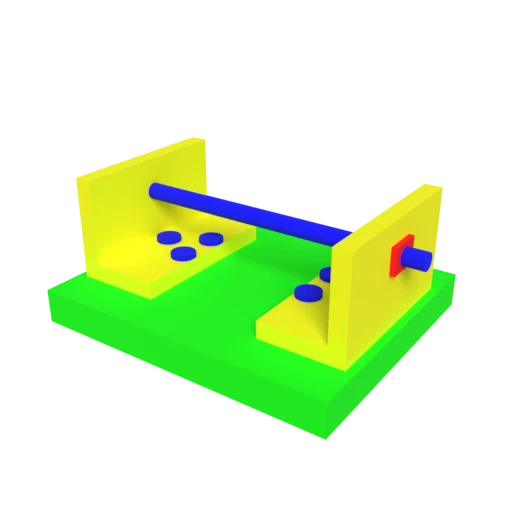
CAD bracket assembly — typical STEP engineering model for format conversion testing.
STEP files contain precise B-rep (boundary representation) geometry defined by ISO 10303. Converting to 3MF tessellates those exact NURBS surfaces into a triangle mesh ready for any 3D printing slicer.
STEP files often define multi-part assemblies with named components. The conversion maps these parts to 3MF's named build items, keeping your assembly organized in the slicer so you can apply per-part print settings.
STEP is the international standard for engineering data exchange, but slicers cannot read B-rep geometry. 3MF provides the mesh format that Cura, PrusaSlicer, and BambuStudio expect for print preparation.
Also convert from STP
Other ways to get 3MF
How to Convert STP to 3MF
Convert your STEP CAD model to a slicer-ready 3MF. Tessellation and packaging happen right in your browser.
Upload STP
Drag and drop or select your .stp or .step file. STEP is a self-contained format so a single file includes all geometry and assembly information.
Processing
Conversion runs entirely in your browser using WASM-based CAD parsing. B-rep surfaces are tessellated into triangle meshes and packaged into the 3MF format. Your data never leaves your device.
Download 3MF
Get your .3mf file with the tessellated model ready for slicing. Open it in Cura, PrusaSlicer, BambuStudio, or Simplify3D to prepare your engineering part for printing.
Why convert STP to 3MF?
STEP (Standard for the Exchange of Product Data) is defined by ISO 10303, with its physical file structure specified in part 21 (ISO 10303-21). Unlike mesh-based formats, STEP stores geometry as exact mathematical boundary representations, including NURBS surfaces, trimmed patches, and solid bodies. This precision is essential for engineering tasks such as tolerancing, simulation, and CNC machining. Tools like SolidWorks, CATIA, Fusion 360, and FreeCAD all use STEP as their primary interoperability format. However, 3D printers and their slicers work exclusively with triangle meshes, making STEP files unusable for printing without a tessellation step.
3MF (3D Manufacturing Format) was introduced in 2015 by the 3MF Consortium, whose founding members include Microsoft, HP, Autodesk, and Stratasys. It stores triangle meshes, per-triangle colors, named components, and build plate metadata in a compact OPC (ZIP) archive. Converting STEP to 3MF performs the critical tessellation that transforms exact B-rep surfaces into printable triangles, then packages the result in the format every major slicer prefers. Assembly structures from the STEP file are preserved as named 3MF components, letting you manage complex engineering parts in your slicer just as you would in your CAD tool.
Key advantages of 3MF over STP for 3D printing
3MF stores triangle meshes that slicers process directly, while STEP's B-rep NURBS geometry requires tessellation before printing.
Every major slicer imports 3MF natively, whereas STEP support is limited to a few CAD-aware tools with integration plugins.
3MF can define part orientation, position, and print settings on the build plate, manufacturing workflow data that STEP does not address.
3MF's ZIP-compressed mesh data is typically much smaller than STEP's verbose ISO 10303-21 ASCII encoding, especially for complex assemblies.
3MF supports color assignment per triangle for multi-color printers, while STEP focuses on geometric precision without visual appearance data.