Convert STP to GLTF Online
Convert STEP (Standard for the Exchange of Product Data) files to GL Transmission Format (glTF), entirely in your browser. No upload, no sign-up. Your files never leave your device.
Drop your STP file here
or click to browse from your computer (up to 100 MB)
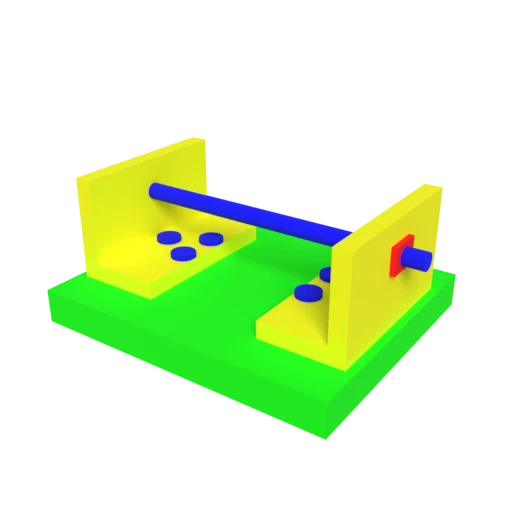
CAD bracket assembly — typical STEP engineering model for format conversion testing.
STEP's parametric data becomes a readable JSON scene description, making it easy to debug and modify asset pipelines.
glTF stores geometry buffers and textures as individual files, enabling partial updates and efficient caching in web applications.
STEP color and surface properties are mapped to glTF's metallic-roughness PBR model for physically accurate rendering.
Also convert from STP
Other ways to get GLTF
How to Convert STP to GLTF
Convert your CAD STEP file to an inspectable, web-friendly glTF asset.
Upload STP
Drag and drop or select your .stp file. STEP stores precise CAD geometry as boundary representation data defined by ISO 10303.
Processing
Conversion runs entirely in your browser. B-rep surfaces are tessellated into triangle meshes and written to glTF's JSON structure with PBR materials. Your data never leaves your device.
Download glTF
Get your glTF file with Draco-compressed geometry. The JSON structure is easy to inspect, and assets load natively in web viewers and game engines.
Why convert STEP to glTF?
STEP files store precise engineering geometry in a verbose ASCII format defined by ISO 10303. While this representation preserves exact surface mathematics needed for CAD workflows, it is impractical for real-time rendering, web applications, or content pipelines that require lightweight, GPU-friendly meshes. STEP files also lack the material metadata used by modern rendering engines, limiting their usefulness outside of engineering tools.
glTF uses a JSON manifest to describe scene hierarchies, materials, and animation data, with binary buffers holding vertex and index data. Converting STEP to glTF tessellates parametric surfaces into triangles, maps CAD surface properties to PBR metallic-roughness materials, and produces an asset that integrates into web frameworks and game engines. The separated file structure allows selective updates to textures or geometry without reprocessing the entire model.
Key advantages of glTF over STEP
The glTF manifest is plain text, easy to inspect and modify.
Tessellated meshes render at interactive frame rates on GPUs.
Optional mesh compression reduces file sizes substantially.
Loads natively in three.js, Unity, Unreal Engine, and Blender.
JSON text plus separate binaries works well with Git and diff tools.
ISO-ratified Khronos Group standard with extensive tooling.