Polyforge

$ optimize_for_web

Optimize 3D Files for Web Delivery

Compress GLB and GLTF files with Draco, KTX2 texture compression, mesh decimation, and quantization. Ready for three.js, model-viewer, Babylon.js, and any WebGL/WebGPU renderer. No upload, no sign-up. Files never leave your browser.

No upload required 100% free Web-ready GLB output
By Polyforge · Published Mar 17, 2026 · Updated Mar 28, 2026

Drop your 3D file here

GLB, GLTF, OBJ, FBX, STL, PLY, USDZ, 3DS, DAE, STP — all supported

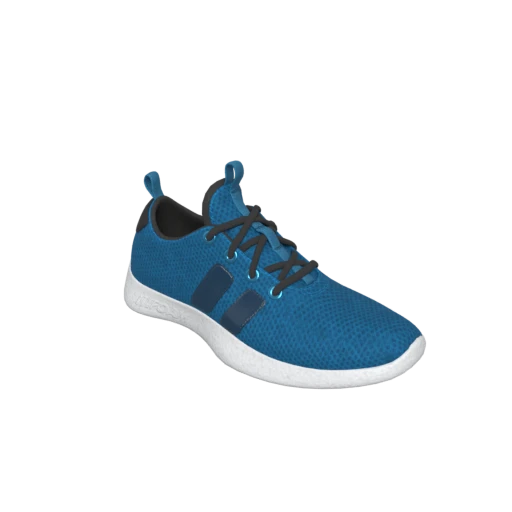
Shoe 3D model preview
Try with a sample modelShoeShoe by Polyforge · CC0 1.0 Universal

Sneaker with PBR materials and textures — ideal for testing optimization with mesh decimation and texture compression.

$ draco_geometry_compression

Apply Google's open-source Draco compression to shrink geometry data by 60–90% with no visual change. The KHR_draco_mesh_compression extension is decoded automatically by three.js, Babylon.js, model-viewer, and all modern WebGL/WebGPU renderers.

$ texture_compression

Compress textures to WebP or KTX2 (Basis Universal). A 4K PNG texture that consumes 64 MB of VRAM uncompressed drops to roughly 16 MB with KTX2, improving frame rates on mobile GPUs and reducing download size simultaneously.

$ mesh_decimation

Reduce polygon count while preserving the visual silhouette. Photogrammetry scans and CAD exports often contain 500K+ triangles that no browser viewport needs. The Web Delivery preset targets 75% quality, a level that is visually indistinguishable at typical web viewing distances.

$ geometry_quantization

Reduce vertex attribute precision from 32-bit floats to 12–16 bit integers. The rounding error is sub-pixel at screen resolution, but the file size reduction is significant and stacks with Draco compression.

$ scene_flattening

Merge scene hierarchy into a flat structure. Fewer nodes means fewer draw calls, which directly improves render performance in three.js, React Three Fiber, and other real-time renderers.

$ before_and_after_preview

Interactive before/after viewer with a draggable slider. Verify that your optimized model looks right before shipping it to production. Compare file size, polygon count, and texture memory side by side.

HOW IT WORKS

How to Optimize 3D Files for the Web

Prepare any 3D model for fast web delivery in three steps

01

Upload any 3D file

Drag and drop or browse to select a file in any supported format: GLB, GLTF, FBX, OBJ, STEP, and more. The Web Delivery preset activates automatically with Draco, texture compression, quantization, and scene flattening enabled.

02

Review and adjust

Compare before and after side by side. Check file size reduction, polygon count, and texture memory. Adjust the quality slider or switch texture compression mode (WebP vs KTX2) to balance quality and size for your use case.

03

Download optimized GLB

Export as GLB, the standard binary format for web 3D. One self-contained file with geometry, materials, and textures ready to load in three.js, model-viewer, Babylon.js, PlayCanvas, or any glTF-compatible viewer.

SUPPORTED FORMATS
$ Input Formats
GLBGLTFOBJFBXSTLPLYUSDZ3DSDAESTP3MF
$ Web Output Formats
GLBGLTF

Why File Size Matters for Web 3D

Every kilobyte of a 3D asset directly impacts load time, and load time directly impacts user engagement. Google’s research found that 53% of mobile visits are abandoned if a page takes longer than 3 seconds to load. A single unoptimized GLB file can easily exceed 50 MB, adding several seconds of download time even on fast connections and significantly more on mobile networks.

For e-commerce, the stakes are higher. Shopify reports a 94% average increase in conversions for merchants using 3D product models and recommends GLB files between 4–6 MB for optimal performance. 3D product viewers increase engagement and reduce return rates, but only when the experience loads fast. A 50 MB model that takes 8 seconds to appear on mobile will lose more customers than it converts.

Beyond user experience, Google’s Core Web Vitals directly factor into search rankings. Largest Contentful Paint (LCP) should be under 2.5 seconds, and Interaction to Next Paint (INP) should be under 200 milliseconds. Heavy 3D assets that block the main thread during parsing degrade both metrics, pushing your page down in search results.

How Draco Compression Works

Draco is an open-source compression library developed by Google for 3D meshes and point clouds. It encodes vertex positions, normals, texture coordinates, and other attributes into a compact binary format using the KHR_draco_mesh_compression glTF extension. The compressed data is reconstructed at decode time, producing geometry that is visually indistinguishable from the original, though quantization introduces minor precision differences at the data level.

For web delivery specifically, Draco compression is the single most impactful optimization. It typically reduces GLB file size by 60–90% on its own, with zero visual difference. A 10 MB GLB containing a detailed product model can become 1–2 MB after Draco compression alone. The decode cost is approximately 50–100 milliseconds on modern devices, which is negligible compared to the network time saved.

All major web 3D libraries support Draco natively: three.js (via DRACOLoader), Babylon.js, Google model-viewer, PlayCanvas, A-Frame, and React Three Fiber. The decoder is a small WebAssembly module loaded on demand, so there is no cost for pages that do not use 3D content.

KTX2 Textures: GPU Compression for the Web

Traditional image formats like JPEG and PNG must be fully decompressed into raw pixels before the GPU can use them. A single 4096×4096 texture requires 64 MB of VRAM in uncompressed RGBA format, regardless of how small the JPEG file was on disk. Load four textures for a PBR material (base color, normal, roughness-metallic, occlusion) and you are already using 256 MB of VRAM for one model.

KTX2, based on Khronos Group’s Basis Universal technology, solves this by keeping textures compressed in GPU memory. The same 4096×4096 texture uses roughly 16 MB of VRAM in ETC1S mode or 32 MB in the higher-quality UASTC mode. The texture is transcoded to the device’s native GPU format (BCn on desktop, ETC2/ASTC on mobile) at load time, so it works across all hardware.

For web delivery, KTX2 provides a double benefit: smaller file downloads and lower runtime VRAM usage. This is especially important on mobile devices, which typically have 2–4 GB of shared memory for both system and GPU use. Polyforge supports both ETC1S (maximum compression, good for diffuse textures) and UASTC (near-lossless, better for normal maps and detail textures) via the KTX2 texture compression option.

File Size Budgets for Web 3D

There is no universal file size limit for web 3D, but practical budgets depend on context. For product configurators and e-commerce viewers, aim for 4–6 MB per model (Shopify’s recommended target). For hero scene backgrounds and landing pages, 2–5 MB is a reasonable target. For scenes with multiple models (virtual showrooms, architectural visualization), individual assets should stay under 2 MB each. Above 20 MB is a danger zone for mobile, where texture memory is limited and shared with system RAM.

Polygon budgets follow similar logic. Mobile WebGL renderers perform best with 50K–100K triangles total on screen. Desktop WebGL2 and WebGPU can handle 500K–1M+ triangles comfortably, but draw call count matters more than raw polygon count for complex scenes with many objects.

A practical optimization workflow: start with Draco compression (the biggest file size win), then evaluate whether you need mesh decimation. If the model is still too large, apply texture compression (WebP for broad compatibility, KTX2 for best runtime performance). Finally, enable quantization and scene flattening for the last few percentage points of reduction.

Privacy-First Processing

All optimization happens entirely in your browser using WebAssembly. Your 3D files are never uploaded to a server. This is critical for teams working with unreleased product designs, proprietary assets, or client work under NDA. Files up to 100 MB are supported, with no server queue wait times and no data retention concerns.

Benefits of Web-Optimized 3D Assets

  • Faster page loads : Smaller GLB files download faster, reducing time to first render and improving Core Web Vitals scores.
  • Lower bandwidth costs : Draco and texture compression can reduce file sizes by 90%+, cutting CDN and hosting costs proportionally.
  • Better mobile performance : KTX2 textures use 4× less VRAM than uncompressed equivalents, preventing GPU memory pressure on mobile devices.
  • Higher engagement : 3D models that load instantly keep users interacting instead of waiting. Faster load times correlate with lower bounce rates.
  • Improved SEO : Google Core Web Vitals factor directly into search rankings. Lighter 3D assets improve LCP and INP scores.
  • Universal viewer compatibility : GLB with Draco compression is supported by three.js, Babylon.js, model-viewer, PlayCanvas, A-Frame, React Three Fiber, and all modern web 3D frameworks.
FAQ

How much can I reduce my GLB file size for the web?

Draco compression alone typically reduces GLB files by 60–90%. Combined with texture compression (WebP or KTX2) and mesh decimation, total reductions of 95%+ are common. A 50 MB product model can become 2–3 MB with the Web Delivery preset and no visible quality loss at typical screen viewing distances.

Does optimization affect visual quality in the browser?

Draco compression and quantization are visually lossless at typical web viewing distances. Texture compression (WebP at 80% quality) introduces minimal artifacts that are invisible on screen. Mesh decimation at 75% quality preserves the visual silhouette but removes geometry that is too fine to resolve at screen resolution. Use the before/after comparison to verify the result before downloading.

Should I use WebP or KTX2 texture compression?

Use WebP for broad compatibility: it works in all modern browsers and all glTF viewers. Use KTX2 when you need better runtime performance: KTX2 textures stay compressed in GPU memory, using roughly 4× less VRAM than JPEG or WebP textures that must be decompressed to raw pixels. KTX2 requires viewer support for the KHR_texture_basisu extension, which three.js, Babylon.js, and model-viewer all provide.

What file format should I use for web 3D?

GLB (binary glTF) is the industry standard for web 3D. It is a single self-contained file with geometry, materials, textures, and animations. Every major web 3D library supports it natively. Use GLTF (the JSON variant) only when you need to reference external texture files separately, such as when sharing textures across multiple models.

What is the recommended GLB file size for a website?

For e-commerce product viewers: 4–6 MB per model is the optimal range. Shopify recommends this target and caps uploads at 15 MB. For landing page hero models: 2–5 MB. For scenes with multiple models: under 2 MB per asset. Above 20 MB is a danger zone, especially on mobile devices where texture memory is shared with system RAM.

Does three.js support Draco-compressed GLB files?

Yes. three.js supports Draco via the DRACOLoader, which is loaded automatically when a GLB file contains the KHR_draco_mesh_compression extension. The decoder is a small WebAssembly module fetched on demand. Babylon.js, Google model-viewer, PlayCanvas, A-Frame, and React Three Fiber all support Draco as well.

How do I optimize 3D models for model-viewer?

Google’s model-viewer web component loads GLB files directly. Upload your model to Polyforge, select the Web Delivery preset, and export as GLB. The preset applies Draco compression, WebP texture compression, quantization, and scene flattening, producing a model optimized for model-viewer’s rendering pipeline.

Are my files uploaded to a server?

No. All processing runs entirely in your browser via WebAssembly. Your files never leave your device. This ensures complete privacy for proprietary product designs, client assets, and unreleased models.

Can I optimize FBX or OBJ files for the web?

Yes. Upload any supported format (FBX, OBJ, STL, PLY, DAE, 3DS, STP, USDZ, GLTF, or GLB). Polyforge converts your file to GLB internally, applies all Web Delivery optimizations (Draco, texture compression, quantization, flattening), and exports a web-ready GLB file.

What is the maximum file size I can optimize?

The tool supports files up to 100 MB. All processing happens in your browser, so practical performance also depends on your device’s RAM. Files near the limit work reliably on modern desktops with 8 GB+ RAM. If your file is too large, try reducing the model in your 3D editor first.