Convert 3DS to GLB Online
Convert Autodesk 3D Studio (3DS) files to GL Transmission Format Binary (GLB), entirely in your browser. No upload, no sign-up. Your files never leave your device.
Drop your 3DS file here
or click to browse from your computer (up to 100 MB)
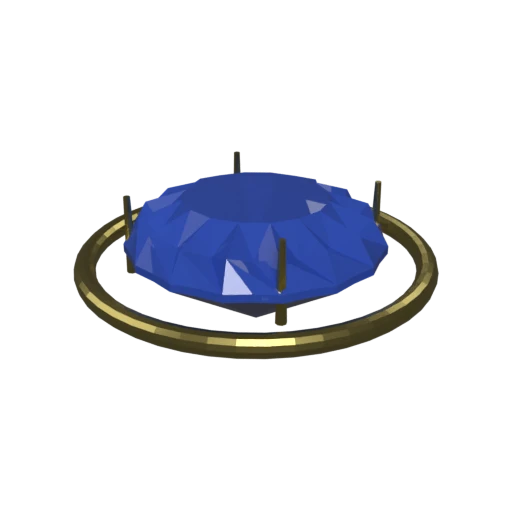
Brilliant-cut sapphire in a gold prong setting — multi-material 3DS model with faceted geometry.
3DS limits each mesh to 65,536 vertices. GLB removes this restriction and wraps geometry, materials, and textures into a single optimized binary file.
3DS supports only basic Phong shading properties. GLB uses physically based rendering (PBR) materials that produce more realistic lighting in modern renderers.
3DS files require specialized software to open. GLB loads natively in web browsers through WebGL and WebGPU without any plugins.
Also convert from 3DS
Other ways to get GLB
How to Convert 3DS to GLB
Upload your legacy 3DS file and get a modern GLB in seconds.
Upload 3DS
Drag and drop or select your .3ds file. 3DS is a single-file binary format from Autodesk's early 3D Studio software.
Processing
Conversion runs entirely in your browser. Meshes and materials are extracted from the 3DS container and repacked into an optimized GLB binary. Your data never leaves your device.
Download GLB
Get your GLB file immediately. Load it in any 3D viewer, game engine, or embed it directly on a web page with full material support.
Why convert 3DS to GLB?
The 3DS format dates back to Autodesk's 3D Studio for DOS, released in the early 1990s. It uses a chunk-based binary structure to store triangle meshes, material properties, texture references, camera positions, and basic keyframe animations. Despite its age, 3DS files still circulate in architectural visualization archives, legacy game asset libraries, and CAD export pipelines. However, the format carries significant technical limitations: a hard cap of 65,536 vertices per mesh, only one UV channel per mesh, and an 8.3 filename convention for texture paths that can break on modern file systems.
GLB is the binary packaging of glTF, the Khronos Group's open transmission format standardized as ISO/IEC 12113:2022. It stores geometry, PBR materials, textures, and animations in a single self-contained file with no external dependencies. GLB is natively supported by three.js, Babylon.js, Unity, Unreal Engine, Blender, and every major web browser through WebGL. Converting 3DS to GLB removes the legacy vertex limits, upgrades materials to the PBR metallic-roughness workflow, and produces a file that works across modern tools without compatibility issues.
Key advantages of GLB over 3DS
GLB has no per-mesh polygon cap, unlike the 3DS 65,536 vertex restriction.
GLB supports physically based metallic-roughness materials for realistic rendering.
GLB bundles textures inside the binary, eliminating broken external references.
GLB loads directly in browsers via WebGL and WebGPU without plugins.
GLB is maintained by the Khronos Group and ratified as an ISO standard.
Unity, Unreal, Blender, Godot, and all major 3D tools import GLB natively.