Convert 3DS to DAE Online
Convert Autodesk 3D Studio (3DS) files to COLLADA Digital Asset Exchange (DAE), entirely in your browser. No upload, no sign-up. Your files never leave your device.
Drop your 3DS file here
or click to browse from your computer (up to 100 MB)
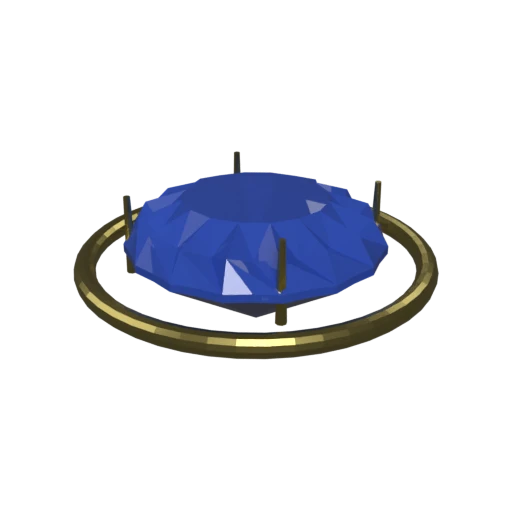
Brilliant-cut sapphire in a gold prong setting — multi-material 3DS model with faceted geometry.
3DS uses a chunk-based binary format from the early 1990s, capping meshes at 65,536 vertices and names at 10 characters. COLLADA imposes no such limits on geometry size or naming.
3DS stores objects in a flat list with limited grouping. DAE organizes geometry into a node tree with named nodes, parent-child relationships, and per-node transform chains.
3DS materials use a basic proprietary shading model from the DOS era. COLLADA provides Phong, Lambert, and Blinn profiles with layered textures, ambient/diffuse/specular channels, and transparency.
Also convert from 3DS
Other ways to get DAE
How to Convert 3DS to DAE
Migrate legacy 3DS models to modern COLLADA DAE for current DCC tool workflows.
Upload 3DS
Drag and drop or select your .3ds file. The legacy Autodesk 3D Studio binary format is fully supported.
Processing
Conversion runs entirely in your browser. Geometry, materials, and object structure are extracted from the 3DS binary and written as COLLADA XML with material definitions. Your data never leaves your device.
Download ZIP
Get a ZIP archive containing the .dae XML file and any texture images. Import the .dae into Blender, Maya, SketchUp, or any COLLADA-compatible application.
Why convert 3DS to DAE?
The .3ds format is the native file format of Autodesk's 3D Studio for DOS, released in the early 1990s. It uses a chunk-based binary structure to store geometry, basic materials, and simple keyframe animation. The format enforces a 65,536 vertex limit per mesh, restricts object names to 10 characters, and offers only a rudimentary shading model. As modern DCC tools phase out 3DS support, migrating legacy assets to a current format becomes essential.
COLLADA (Collaborative Design Activity) is an XML-based interchange standard originally created by Sony and now governed by the Khronos Group. It stores high-polygon geometry, Phong/Lambert/Blinn materials with texture layers, full scene hierarchy, cameras, lights, and complex animation data with no legacy size constraints. Converting 3DS to DAE preserves your legacy models in an open, human-readable format that Blender, Maya, 3ds Max, SketchUp, Cinema 4D, and game engines all import reliably.
Key advantages of DAE over 3DS
COLLADA imposes no per-mesh vertex limit, removing the 65,536 ceiling that 3DS enforces.
DAE allows full-length node and material names instead of the 10-character truncation required by 3DS.
COLLADA is maintained by the Khronos Group with a published XML schema, not a proprietary undocumented binary.
DAE supports skeletal rigs, morph targets, and multi-channel timelines beyond the simple keyframes available in 3DS.
COLLADA import is actively maintained across all major DCC tools, while 3DS support is declining.