Convert 3DS to STL Online
Convert Autodesk 3D Studio (3DS) files to STereoLithography (STL), entirely in your browser. No upload, no sign-up. Your files never leave your device.
Drop your 3DS file here
or click to browse from your computer (up to 100 MB)
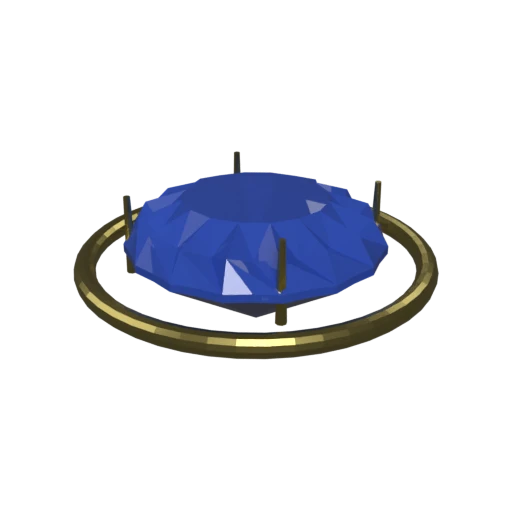
Brilliant-cut sapphire in a gold prong setting — multi-material 3DS model with faceted geometry.
STL is the universal format for 3D printing slicers. Converting 3DS to STL produces files compatible with Cura, PrusaSlicer, and all major printing software.
STL stores only triangulated surfaces with no material or texture data, resulting in clean, lightweight mesh files focused on geometry alone.
STL has no per-mesh vertex restriction, removing the 3DS cap of 65,536 vertices per mesh object.
Also convert from 3DS
Other ways to get STL
How to Convert 3DS to STL
Turn your 3DS models into print-ready STL files in seconds.
Upload 3DS
Drag and drop or select your .3ds file. 3DS is a single-file binary format with no external dependencies.
Processing
Conversion runs entirely in your browser. The triangle mesh is extracted from the 3DS binary and written as STL geometry. Materials and textures are stripped since STL stores only surface data. Your data never leaves your device.
Download STL
Get your STL file ready for 3D printing. Open it directly in Cura, PrusaSlicer, or any slicer to generate print toolpaths.
Why convert 3DS to STL?
3DS files store meshes, materials, texture references, and animation data in a binary container designed for Autodesk's 3D Studio. While this structure works for rendering and visualization, 3D printing slicers require a simpler format that defines only the surface geometry. Material data, textures, and animation are irrelevant to the slicing process.
STL, created by 3D Systems in 1987, describes 3D surfaces as a collection of triangular facets defined by vertex coordinates and face normals. It carries no material, texture, or color information. This simplicity makes STL the universal input for every major 3D printing slicer, from Cura and PrusaSlicer to industrial manufacturing software. Converting 3DS to STL strips away rendering data and produces a clean triangle mesh ready for slicing and printing.
Key advantages of STL over 3DS
Every 3D printing slicer accepts STL files natively.
STL contains only triangulated surfaces with no extraneous data.
Without materials or textures, STL files are compact and fast to process.
STL meshes are simple to check for manifold errors and printability issues.
STL is the established format for additive and subtractive manufacturing.