Convert OBJ to STL Online
Convert Wavefront OBJ files to STereoLithography (STL), entirely in your browser. No upload, no sign-up. Your files never leave your device.
Drop your OBJ files here
Select your .obj file along with its .mtl and texture files (up to 100 MB)
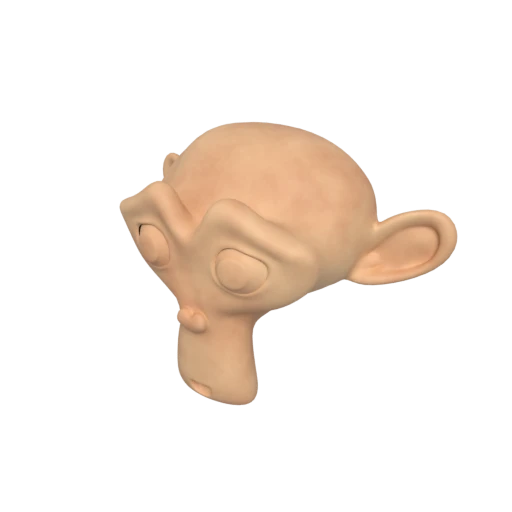
Suzanne with baked texture — demonstrates OBJ + MTL + texture conversion.
STL is the universal input format for 3D printing. Converting from OBJ produces a triangle mesh that slicers like Cura, PrusaSlicer, and Bambu Studio can process directly.
Nearly every CAD and manufacturing tool reads STL natively. Your OBJ models become immediately usable in SolidWorks, Fusion 360, Meshmixer, and other engineering software.
STL strips away materials, textures, and named groups, leaving only the raw triangulated surface mesh. This simplicity is ideal for workflows that need pure geometry.
Also convert from OBJ
Other ways to get STL
How to Convert OBJ to STL
Upload your .obj, .mtl, and textures together for a complete conversion.
Upload OBJ + Materials
Drag and drop your .obj file along with its companion .mtl file and any referenced texture images. While STL discards material data, uploading the full bundle ensures the geometry is parsed correctly from the source.
Processing
Conversion runs entirely in your browser. The OBJ geometry is triangulated, materials and textures are discarded, and the result is written as a binary STL triangle mesh.
Download STL
Get your ready to use STL file immediately. The result can be opened directly in any 3D printing slicer or CAD application for manufacturing.
Why convert OBJ to STL?
OBJ is an open ASCII format from Wavefront Technologies, widely supported across 3D modeling applications. It stores vertex positions, normals, texture coordinates, and face definitions as plain text, with material properties in a separate .mtl file. While OBJ works well for general 3D interchange, the 3D printing world relies almost exclusively on STL. Slicer software expects a simple triangle mesh without material or texture data, which is exactly what STL provides.
STL was created by 3D Systems in 1987 for their early stereolithography printers and remains the dominant format in additive manufacturing. It describes a surface as a list of triangles, each defined by three vertices and a face normal. Every major slicer, including Cura, PrusaSlicer, and Bambu Studio, accepts STL as primary input. Converting OBJ to STL extracts the geometric shell needed for printing while discarding the material and texture data that manufacturing tools would ignore anyway.
Key advantages of STL over OBJ
STL is the universal input format for FDM, SLA, and SLS printers and their slicer software.
STL needs no companion .mtl or texture files, eliminating multi file management issues.
SolidWorks, Fusion 360, Meshmixer, and nearly every engineering tool import STL natively.
STL contains only triangles and normals, making it trivial to parse and validate for manufacturing.
Introduced in 1987, STL is supported by virtually every 3D modeling and slicing application.
The format's simplicity means STL files rarely have compatibility issues between applications.
OBJ vs STL
| Feature | OBJ | STL |
|---|---|---|
| File structure | Text .obj + .mtl + textures | Flat triangle list (binary or ASCII) |
| Materials | Phong / Lambert via .mtl | None |
| Textures | External image files | None |
| Geometry | Polygons, quads, n-gons | Triangles only |
| Vertex sharing | Indexed vertices | Each triangle stores its own vertices |
| Groups | Named groups and objects | None |
| Primary use | General 3D interchange | 3D printing and CNC |
When to Use Each Format
Use OBJ when
- You need materials, textures, and groups preserved in the file
- Working with tools that expect OBJ format specifically
- You want to hand-edit geometry in a text editor
- Exchanging static meshes between different 3D applications
Use STL when
- Sending geometry directly to a 3D printer or slicer
- The receiving tool only accepts STL (common in manufacturing)
- You only care about the mesh surface, not appearance
- Working with CNC machining or rapid prototyping software
Known Limitations
All material and texture data from the .mtl file is discarded completely
Quads and n-gons are triangulated, which may alter the mesh topology
Groups and object names are lost since STL has no concept of named sub-objects
STL duplicates vertices per triangle, so the file is often larger than the original OBJ's geometry data
OBJ to STL FAQ
Will my OBJ's colors or textures survive the conversion?
No. STL is a pure geometry format. All material definitions, texture references, and vertex colors are stripped during conversion.
Does the conversion change the geometry?
Triangles are preserved as-is. If your OBJ contains quads or other polygons, they are split into triangles. The vertex positions remain identical.
Which STL type should I use, binary or ASCII?
Binary is almost always the better choice. It produces files 5 to 10 times smaller than ASCII and loads faster in every modern slicer. ASCII is only useful if you need to read the triangle data in a text editor.
Why is my STL larger than the OBJ?
OBJ uses indexed vertices, meaning multiple faces can reference the same vertex. STL stores three full vertex positions per triangle with no sharing. A cube in OBJ needs 8 vertex positions; in STL it needs 36.