Convert STP to GLB Online
Convert STEP (Standard for the Exchange of Product Data) files to GL Transmission Format Binary (GLB), entirely in your browser. No upload, no sign-up. Your files never leave your device.
Drop your STP file here
or click to browse from your computer (up to 100 MB)
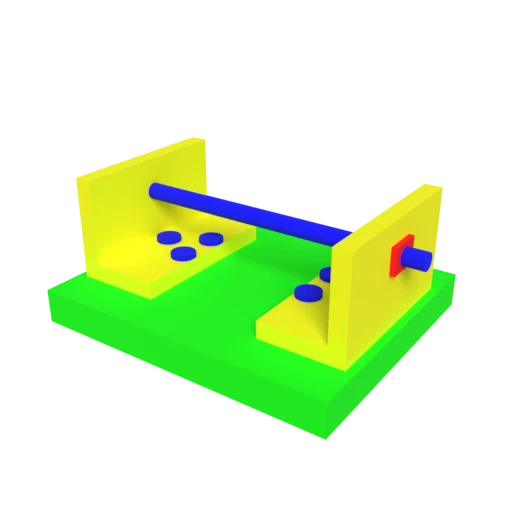
CAD bracket assembly — typical STEP engineering model for format conversion testing.
STEP files are designed for CAD data exchange and cannot be rendered directly in browsers. GLB is the standard for web 3D, supported natively by all major WebGL frameworks.
STEP files store verbose ASCII geometry definitions. GLB packs meshes, materials, and textures into a single optimized binary file, often dramatically smaller.
STEP stores exact mathematical surfaces (NURBS, B-rep). Converting to GLB tessellates these into triangle meshes optimized for real-time GPU rendering.
Also convert from STP
Other ways to get GLB
How to Convert STP to GLB
Convert your CAD STEP file to a web-ready GLB model.
Upload STP
Drag and drop or select your .stp file. STEP is an ISO 10303 standard format that stores precise CAD geometry as boundary representation data.
Processing
Conversion runs entirely in your browser using OpenCascade. B-rep surfaces are tessellated into triangle meshes with materials mapped to PBR. Your data never leaves your device.
Download GLB
Get your GLB file ready for the web. The single binary file loads instantly in any WebGL viewer, game engine, or AR application.
Why convert STEP to GLB?
STEP (ISO 10303) is the international standard for exchanging CAD data between different engineering software. It stores geometry as exact mathematical surfaces using boundary representation (B-rep), NURBS curves, and parametric definitions. This precision is essential during the design and engineering phase, but STEP files cannot be displayed in web browsers or real-time 3D applications. The verbose ASCII format and parametric data structures are incompatible with GPU rendering pipelines that expect triangulated meshes.
GLB is the binary container of the glTF format, designed specifically for efficient 3D asset delivery on the web and in applications. Converting STEP to GLB tessellates exact surfaces into optimized triangle meshes, maps surface properties to PBR materials, and packages everything into a single compact binary. The result loads directly in three.js, Babylon.js, Google's model-viewer component, and mobile AR viewers without requiring CAD software or plugins.
Key advantages of GLB over STEP
GLB loads in any WebGL viewer without CAD software or plugins.
Single-file binary packing is dramatically smaller than verbose STEP ASCII text.
Triangle meshes render directly on GPUs without tessellation at load time.
GLB works with Android Scene Viewer and WebXR for AR preview.
Physically based materials produce realistic lighting across all renderers.
One file contains all geometry, materials, and textures for easy sharing.
STP vs GLB
| Feature | STP | GLB |
|---|---|---|
| Geometry type | Exact B-Rep (NURBS, analytical surfaces) | Tessellated triangles |
| Precision | Mathematically exact | Approximated by triangle density |
| Materials | Minimal (face colors only) | PBR metallic-roughness |
| Textures | None | Embedded (JPEG, PNG, KTX2) |
| Animation | Not supported | Full skeletal & morph targets |
| Primary domain | CAD / engineering / manufacturing | Web, AR, game engines |
| File size | Proportional to feature complexity | Proportional to triangle count |
When to Use Each Format
Use STP when
- Working in CAD software (SolidWorks, CATIA, Fusion 360, NX)
- You need mathematically exact surfaces for manufacturing or CNC
- Exchanging engineering data between different CAD platforms
- Archival or compliance requires an ISO-standard format (ISO 10303)
Use GLB when
- Visualizing a CAD model on the web, in a product configurator, or in AR
- Sharing an engineering design with non-CAD users who just need to see it
- Embedding a 3D model in a website, presentation, or app
- The receiving tool does not support STEP files
Known Limitations
Conversion is fundamentally lossy. Exact NURBS and B-spline surfaces are tessellated into triangles, permanently losing mathematical precision
STEP files have no textures or UV maps, so the GLB will need materials added afterward
Face colors from the STEP file may carry over, but support is inconsistent across CAD exporters
Complex assemblies with hundreds of parts can produce very large triangle meshes. Simplification before conversion is often necessary
STP to GLB FAQ
Can I convert the GLB back to STP?
Not meaningfully. STEP stores exact mathematical surface definitions, while GLB contains only triangulated approximations. Converting triangles back to NURBS surfaces (reverse engineering) is a separate, complex process that cannot perfectly reconstruct the original CAD model.
How do I control the tessellation quality?
The conversion uses OCCT (Open CASCADE) to tessellate NURBS surfaces into triangles. Tighter tolerances produce more triangles and a smoother result, while looser tolerances reduce file size at the cost of visible faceting on curved surfaces.
Will assembly structure be preserved?
Parts from a STEP assembly are converted to separate meshes within the GLB scene graph. Spatial positioning is preserved, but assembly constraints (mates, joints) are not carried over since GLB has no concept of parametric constraints.
Why is the file so large?
A STEP file describes a cylinder as a single mathematical equation. The GLB must approximate that cylinder with dozens or hundreds of triangles. Complex curved shapes require many triangles to look smooth, which inflates file size. Draco compression can help reduce it significantly.
Why CAD Models Stay Trapped on Engineering Desktops
A mechanical engineer finishes a housing design in SolidWorks. The sales team wants to embed it on the product page. The client wants to spin it around on a phone. The factory floor wants to preview the assembly in AR before tooling begins. Everyone needs to see the model. Nobody has CAD software.
STEP files (ISO 10303) are the universal exchange format for CAD data, supported by every major engineering tool from CATIA to Fusion 360 to NX. They store geometry as boundary representations (B-Rep): exact mathematical definitions of surfaces using NURBS curves, analytical primitives like cylinders and tori, and parametric relationships between features. A fillet in a STEP file is not a collection of triangles. It is a mathematical blend between two surfaces, defined to arbitrary precision.
This precision makes STEP indispensable for manufacturing. It also makes it invisible on the web. Browsers render triangles through WebGL. They have no concept of NURBS, no B-Rep kernel, no tolerance stack. To get a STEP file into a browser, the geometry must be translated into a fundamentally different representation.
From Exact Surfaces to Triangles: How Tessellation Works
The bridge between CAD and web is tessellation. This is the process of approximating mathematical surfaces with flat triangles that a GPU can render. A perfect sphere in STEP is defined by a center point and radius. After tessellation, it becomes a polyhedron of hundreds or thousands of triangles, each one flat, arranged so that at normal viewing distances the sphere still looks round.
The quality of tessellation depends on a parameter called chord tolerance: the maximum allowed distance between the true mathematical surface and the triangle approximation. Set it tight (0.01 mm) and you get smooth curves at the cost of large files. Set it loose (1 mm) and file sizes shrink but curved edges become visibly faceted. For web visualization, a tolerance between 0.05 and 0.5 mm usually strikes the right balance.
Open CASCADE Technology (OCCT) is the standard open source library for this work. Written in C++ and compiled to WebAssembly for browser use, OCCT reads the STEP file, interprets its B-Rep topology, and generates a triangle mesh for each face. The converter on this page uses OCCT internally. Your STEP file never leaves the browser. The entire tessellation runs locally in WebAssembly.
What Survives the Conversion (and What Does Not)
Converting STEP to GLB is a one-direction transformation. Certain information carries over cleanly. Certain information is permanently lost.
Geometry survives in approximated form. Every surface in the STEP file becomes a triangle mesh in GLB. Spatial positioning of parts within an assembly is preserved: bolts stay in their holes, flanges stay on their pipes. Part names from the STEP product tree map to named nodes in the GLB scene graph, which means a web viewer can still identify individual components for hover effects, part isolation, or bill of materials display.
Face colors often transfer. If the CAD tool assigned colors to individual faces or bodies, those colors appear as basic materials in the GLB output. Full PBR materials (metallic roughness, normal maps, textures) do not exist in STEP and will not appear in the conversion output. Adding realistic materials is a post-processing step.
What is lost permanently: parametric feature history, sketch constraints, tolerance annotations, assembly mates, and the exact mathematical surface definitions. You cannot edit a converted GLB in SolidWorks and push a fillet radius from 2 mm to 3 mm. The fillet is now triangles. The parametric intent behind it is gone. This is an acceptable trade for visualization, but it means the STEP file remains the source of truth for engineering work.
Practical Scenarios: Design Review, Sales, and AR
The most common use case is design review without CAD licenses. A product development team might include ten people who need to see the model, but only three who need to edit it. Converting the STEP file to GLB lets everyone else open it in a browser, rotate it, zoom in on details, and leave comments. No installs, no license servers, no VPN.
Sales and marketing teams embed GLB models directly into product pages using the model-viewer web component or three.js. Customers can inspect the product from every angle before ordering. For industrial equipment or custom machinery, this replaces static renders with interactive 3D that builds buyer confidence.
AR preview is growing fast. GLB is the native format for Android Scene Viewer and works with Apple Quick Look through its USDZ sibling. A manufacturing client can point a phone at a factory floor and see exactly where a new machine will sit, at full scale, before the first part ships. The digital twin market reflects this shift, projected to grow from $20 billion in 2024 to over $150 billion by 2030.
Keeping File Sizes Manageable
CAD assemblies tessellate into large meshes. A moderately complex assembly (a gearbox, a pump housing, an electronics enclosure with mounting hardware) can produce 500,000 to 2 million triangles. Without optimization, the resulting GLB might be 50 MB or more.
Draco compression is the most effective tool for reducing that size. It applies geometric quantization and entropy coding to the mesh data, typically achieving 80 to 90 percent reduction. A 50 MB GLB becomes 5 to 8 MB. The browser decompresses it on load with minimal latency, and the visual result is identical.
Mesh decimation can help further. CAD tessellation often produces more triangles than visual fidelity requires because the tessellator respects every tiny fillet and chamfer. Reducing a 1 million triangle mesh to 200,000 triangles often produces no visible difference at screen resolution. Combining Draco compression with targeted decimation can bring even large industrial assemblies down to file sizes that load in seconds on a standard connection.