Convert PLY to GLB Online
Convert Polygon File Format (PLY) files to GL Transmission Format Binary (GLB), entirely in your browser. No upload, no sign-up. Your files never leave your device.
Drop your PLY file here
or click to browse from your computer (up to 100 MB)
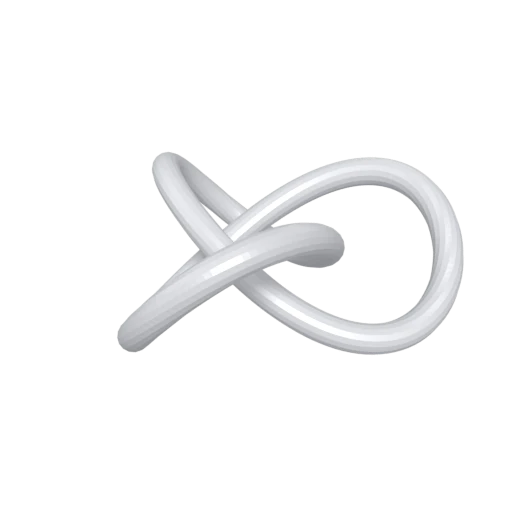
Trefoil knot mesh demonstrating PLY format conversion.
PLY files often store per vertex color data from 3D scans and photogrammetry captures. The converter carries this color information into the GLB output so your model retains its original appearance without requiring separate texture files.
GLB is the standard format for delivering 3D content on the web, in augmented reality viewers, and across real time engines. Converting from PLY gives your scan data or point cloud a format that browsers and platforms like Google Search, Shopify, and Meta Spark can display natively.
PLY stores raw geometry and optional vertex attributes but has no material or lighting model. GLB wraps your geometry in a physically based rendering (PBR) material system, letting you add metallic, roughness, and normal maps after conversion.
Also convert from PLY
Other ways to get GLB
How to Convert PLY to GLB
Drop your PLY file and get a web ready GLB in seconds.
Upload PLY
Drag and drop or select your .ply file. PLY is a single file format so one file is all you need, whether it contains ASCII or binary encoded data.
Processing
Conversion runs entirely in your browser. Vertex positions, normals, and colors are extracted from the PLY and repackaged into a GLB with a default PBR material applied. Your data never leaves your device.
Download GLB
Get your GLB file immediately. The result can be loaded in any glTF compatible viewer, dropped into a web page with three.js, or uploaded to AR platforms.
Why convert PLY to GLB?
PLY (Polygon File Format) was created at the Stanford Computer Graphics Laboratory in the mid 1990s to store 3D data from range scanners. It represents meshes as simple lists of vertices and polygon faces, with an extensible header that can declare custom properties like color, confidence values, or scalar fields. This simplicity has kept PLY popular in academic research, photogrammetry pipelines, and LiDAR processing tools such as MeshLab and CloudCompare. However, PLY has no concept of materials, textures, scene hierarchy, or animation, which limits its usefulness outside of data capture workflows.
GLB is the binary form of glTF 2.0, an open standard maintained by the Khronos Group and supported by companies including Google, Microsoft, Adobe, and Meta. It packages geometry, PBR materials, embedded textures, animations, and a full scene graph into a single compact file optimized for real time rendering. Converting PLY to GLB transforms raw scan data into a format that web browsers, AR viewers, game engines, and e-commerce platforms can display directly, bridging the gap between data acquisition and interactive 3D experiences.
Key advantages of GLB over PLY
GLB supports physically based rendering materials with metallic, roughness, and normal properties that PLY cannot represent.
GLB can pack texture images directly inside the file, while PLY only stores per vertex attributes.
GLB includes skeletal animation, morph targets, and keyframe data that PLY has no mechanism to express.
GLB organizes objects in a parent and child node tree, replacing PLY's flat vertex and face lists.
GLB loads natively in browsers via WebGL and WebGPU and is the default 3D format for AR on Android and WebXR.