Convert DAE to GLB Online
Convert COLLADA Digital Asset Exchange (DAE) files to GL Transmission Format Binary (GLB), entirely in your browser. No upload, no sign-up. Your files never leave your device.
Drop your DAE file here
or click to browse from your computer (up to 100 MB)
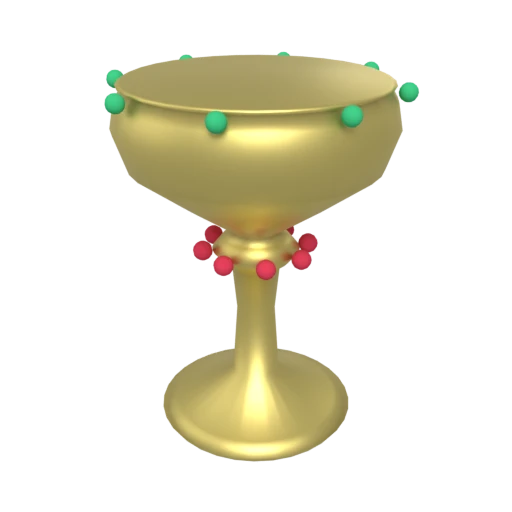
Decorative gold chalice with ruby and emerald gems — multi-material COLLADA model for format conversion testing.
COLLADA files are verbose XML text. GLB compresses the same data into a compact binary container, typically reducing file size by 5 to 10 times.
COLLADA requires XML parsing and specialized loaders. GLB loads directly in web browsers through WebGL and WebGPU without any plugins.
COLLADA uses Phong and Blinn shading profiles. GLB supports physically based metallic-roughness materials for modern, realistic rendering.
Also convert from DAE
Other ways to get GLB
How to Convert DAE to GLB
Replace verbose COLLADA XML with a compact, web-ready GLB binary.
Upload DAE
Drag and drop or select your .dae file. COLLADA is an XML-based format that stores meshes, materials, and scene data in a single text file.
Processing
Conversion runs entirely in your browser. The COLLADA XML is parsed and geometry, materials, and scene hierarchy are repacked into an optimized GLB binary. Your data never leaves your device.
Download GLB
Get your GLB file immediately. Load it in any 3D viewer, game engine, or embed it directly on a web page with full material support.
Why convert COLLADA to GLB?
COLLADA (COLLAborative Design Activity) is an XML-based interchange format originally created by Sony and now maintained by the Khronos Group. Its .dae files describe meshes, materials, skeletal animations, physics properties, and visual effects in a detailed XML schema. While the format's comprehensive structure makes it thorough, it also makes files large, slow to parse, and impractical for real-time or web delivery. COLLADA saw peak adoption in the mid-2000s as a bridge between DCC tools, but it has since been largely superseded by glTF.
GLB is the binary packaging of glTF, also maintained by the Khronos Group as the successor to COLLADA for real-time 3D content delivery. GLB stores geometry, PBR materials, textures, and animations in a single compact binary file. It is natively supported by three.js, Babylon.js, Unity, Unreal Engine, Blender, and every modern web browser. Converting COLLADA to GLB replaces verbose XML with an efficient binary format, upgrades shading from Phong profiles to PBR metallic-roughness, and produces a file ready for web and game engine use.
Key advantages of GLB over COLLADA
GLB's binary format is typically 5 to 10 times smaller than COLLADA's XML.
GLB loads directly in browsers via WebGL without plugins or XML parsing.
GLB's metallic-roughness model produces more realistic rendering than Phong.
GLB bundles all textures and buffers into one file.
GLB/glTF is the Khronos Group's designated successor to COLLADA.
Binary data loads much faster than XML text parsing.
DAE vs GLB
| Feature | DAE | GLB |
|---|---|---|
| File structure | XML text (single file or ZAE archive) | Single binary container |
| Animation | Keyframe, skeletal, morph | Keyframe, skeletal, morph |
| Materials | Phong / Blinn / Lambert (no PBR) | PBR metallic-roughness |
| Textures | External files (never embedded in XML) | Embedded in binary |
| Compression | None (verbose XML) | Draco, meshopt, KTX2 |
| File size | Very large (XML text) | Compact binary |
| Specification | Open (Khronos, ISO/PAS 17506) | Open (Khronos) |
When to Use Each Format
Use DAE when
- Exporting from SketchUp or Google Earth
- Your existing assets are in COLLADA format from older pipelines
- You need to inspect the scene structure as human-readable XML
- Working with tools that write COLLADA but not glTF
Use GLB when
- Publishing 3D content on the web or in AR experiences
- You want PBR materials for physically accurate rendering
- File size needs to be minimized for web delivery
- Moving away from the legacy COLLADA format to a modern standard
Known Limitations
Phong/Blinn/Lambert materials are converted to PBR metallic-roughness using heuristic approximations. The visual result under realistic lighting may differ
COLLADA implementation varies widely between exporters (Blender, Maya, SketchUp all produce different output), so results depend on the source tool
XML parsing of large DAE files can be slow. A 100K polygon mesh can produce a 100+ MB DAE file that compresses to a few MB as GLB
COLLADA 1.5 features like physics, kinematics, and B-rep geometry have no glTF equivalent and are dropped
DAE to GLB FAQ
Is COLLADA still used?
It's declining. Blender removed DAE export entirely in version 5.0 due to security vulnerabilities in the underlying OpenCOLLADA library, and Unreal Engine has never supported COLLADA import natively. SketchUp and Google Earth remain significant users. Converting to GLB future-proofs your assets.
Will my SketchUp model's materials look correct?
Basic colors and textures transfer well. SketchUp uses simple material properties that map reasonably to PBR defaults. Complex scenes with lots of transparency or reflection may need material adjustment after conversion.
How much smaller will the GLB be?
Dramatically smaller. COLLADA stores geometry as whitespace-separated numbers in XML, which is extremely verbose. A 50 MB DAE file might compress to 2 to 5 MB as GLB, and even smaller with Draco compression.
Are animations preserved?
Keyframe, skeletal, and morph target animations are carried over. The main risk is exporter inconsistency: different tools write COLLADA animation data differently, which can occasionally cause issues during import.