Convert PLY to DAE Online
Convert Polygon File Format (PLY) files to COLLADA Digital Asset Exchange (DAE), entirely in your browser. No upload, no sign-up. Your files never leave your device.
Drop your PLY file here
or click to browse from your computer (up to 100 MB)
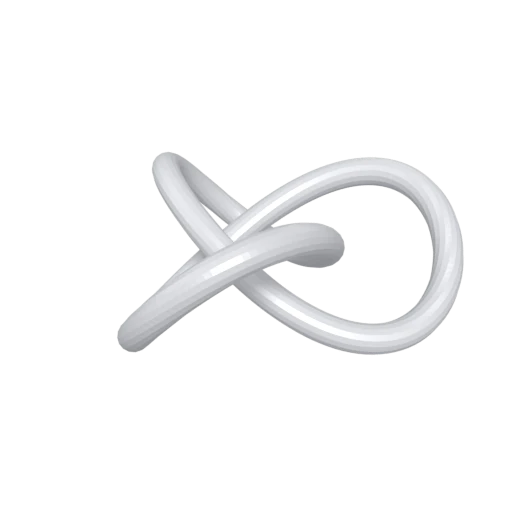
Trefoil knot mesh demonstrating PLY format conversion.
PLY stores per-vertex colors but lacks named materials or texture mapping. COLLADA provides Phong, Lambert, and Blinn shading profiles with layered texture references, enabling proper shaded rendering.
PLY originated at Stanford for research and scanning but has limited support in professional modeling tools. COLLADA imports natively into Blender, Maya, 3ds Max, SketchUp, and Cinema 4D for production workflows.
PLY describes a single mesh with no hierarchy. DAE organizes geometry in a structured node tree with named groups, parent-child relationships, and per-node transforms for complex scene composition.
Also convert from PLY
Other ways to get DAE
How to Convert PLY to DAE
Convert PLY scan data into structured COLLADA DAE files for professional DCC tools.
Upload PLY
Drag and drop or select your .ply file. Both binary and ASCII PLY variants are supported, including files with vertex colors.
Processing
Conversion runs entirely in your browser. Vertex positions, normals, and colors from the PLY are parsed and written as COLLADA XML with material definitions. Your data never leaves your device.
Download ZIP
Get a ZIP archive containing the .dae XML file. Import it into Blender, Maya, or any COLLADA-compatible tool to add textures, lighting, and scene structure.
Why convert PLY to DAE?
PLY (Polygon File Format) was developed by Greg Turk and others at the Stanford Computer Graphics Laboratory to store data from 3D scanning. It records vertex positions, normals, per-vertex colors, and user-defined properties in either ASCII or compact binary encoding. While PLY remains popular in photogrammetry and point cloud research, it has no support for materials, textures, scene hierarchy, or animation, which limits its role in content creation pipelines.
COLLADA (Collaborative Design Activity) is an XML-based interchange standard originally created by Sony and now maintained by the Khronos Group. It supports polygonal geometry, multiple shading profiles (Phong, Lambert, Blinn), UV-mapped textures, scene hierarchy, cameras, lights, physics, and animation. Converting PLY to DAE transforms raw scan output into a structured, renderable asset that Blender, Maya, 3ds Max, SketchUp, and Cinema 4D can import directly.
Key advantages of DAE over PLY
DAE defines Phong, Lambert, and Blinn shading profiles with texture references, replacing PLY's vertex-color-only approach.
COLLADA organizes objects in a node tree with named groups and transforms, while PLY stores a single flat mesh.
DAE supports UV coordinates and multi-layer textures that PLY's per-vertex property model cannot represent.
Blender, Maya, 3ds Max, SketchUp, and Cinema 4D all import COLLADA natively for production use.
COLLADA stores keyframe animations, skeletal rigs, and physics simulation data that PLY has no way to encode.