Convert PLY to FBX Online
Convert Polygon File Format (PLY) files to Autodesk FBX (Filmbox), entirely in your browser. No upload, no sign-up. Your files never leave your device.
Drop your PLY file here
or click to browse from your computer (up to 100 MB)
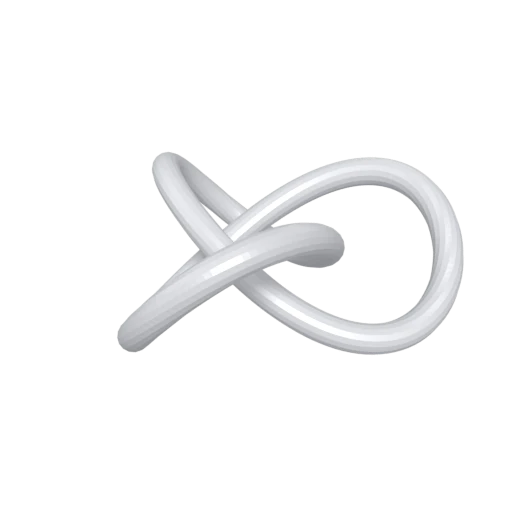
Trefoil knot mesh demonstrating PLY format conversion.
FBX is the most widely used interchange format for game engines. Converting PLY to FBX makes your scan data ready for import into Unity, Unreal Engine, and Godot without additional conversion steps.
FBX supports full material definitions, skeletal rigs, and animation tracks. Your converted PLY geometry gains a format capable of receiving materials, bones, and keyframes in downstream tools.
Digital content creation tools like Maya, 3ds Max, Blender, and Cinema 4D treat FBX as a primary interchange format. Converting PLY to FBX streamlines the path from raw scan to production pipeline.
Also convert from PLY
Other ways to get FBX
How to Convert PLY to FBX
Drop your PLY file and get a ready to use FBX in seconds.
Upload PLY
Drag and drop or select your .ply file. PLY is a single file format, so one file is all you need regardless of ASCII or binary encoding.
Processing
Conversion runs entirely in your browser. Vertex positions, normals, and colors are extracted from the PLY and repackaged into an FBX file with default material settings. Your data never leaves your device.
Download FBX
Get your FBX file immediately. The result can be imported directly into game engines, DCC applications, or any tool that supports the FBX format.
Why convert PLY to FBX?
PLY (Polygon File Format) was developed at the Stanford Computer Graphics Laboratory in the mid 1990s for storing 3D data from range scanners. Its extensible header can declare custom per vertex properties like color, confidence, and scalar fields, making it a staple in photogrammetry, LiDAR processing, and academic research. Tools such as MeshLab and CloudCompare use PLY as a primary working format. However, PLY has no support for materials, textures, scene hierarchy, or animation, which limits its role to data capture and analysis.
FBX (Filmbox) is Autodesk's proprietary interchange format and a de facto standard in game development and film production. It stores meshes, materials, skeletal rigs, blend shapes, animations, and full scene graphs in a single file. Unity, Unreal Engine, Maya, 3ds Max, and Blender all import FBX natively. Converting PLY to FBX bridges the gap between raw scan data and production pipelines, giving artists and developers a format they can enrich with materials, rig for animation, and deploy across engines and platforms.
Key advantages of FBX over PLY
FBX is the primary import format for Unity, Unreal Engine, and most real time 3D engines.
FBX carries material definitions, texture references, and shading properties that PLY cannot store.
FBX supports bone hierarchies, skinning weights, and keyframe animation absent from the PLY specification.
FBX organizes objects, lights, and cameras in a hierarchical scene tree instead of PLY's flat data layout.
Maya, 3ds Max, Blender, Cinema 4D, and Houdini all treat FBX as a primary interchange format.
FBX can store morph targets and blend shapes used for facial animation and deformation workflows.