Convert STL to FBX Online
Convert STereoLithography (STL) files to Autodesk FBX (Filmbox), entirely in your browser. No upload, no sign-up. Your files never leave your device.
Drop your STL file here
or click to browse from your computer (up to 100 MB)
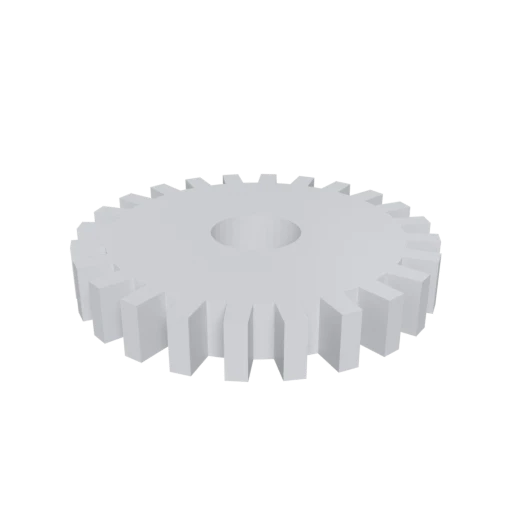
Simple mechanical part, a typical STL use case for 3D printing.
FBX is the de facto interchange format for game and film production, supported natively by Unity, Unreal Engine, Maya, 3ds Max, Blender, and most professional 3D tools.
STL contains only raw triangles with no color or material data. FBX supports full material definitions, texture references, and per-vertex colors.
FBX organizes geometry into a structured node tree with transforms, groups, and parent-child relationships, replacing STL's flat triangle list.
Also convert from STL
Other ways to get FBX
How to Convert STL to FBX
One file is all you need. No companion files, no textures to manage.
Upload STL
Drag and drop or select your .stl file. STL is a single-file format with no external dependencies; one file is all you need.
Processing
Conversion runs entirely in your browser. The triangle mesh is extracted from your STL and repackaged into the FBX format with a default material applied. Your data never leaves your device.
Download FBX
Get your ready to use FBX file immediately. Your geometry is now in a format recognized by Unity, Unreal Engine, Maya, Blender, and other professional 3D tools.
Why convert STL to FBX?
STL was created by 3D Systems in 1987 for stereolithography and 3D printing. It stores only triangulated surface geometry as vertices and face normals, with no support for materials, textures, color, animation, or object hierarchy. While this simplicity makes STL universal in manufacturing and prototyping, it becomes a bottleneck when you need to bring a model into a game engine, animation package, or film production pipeline.
FBX, developed and maintained by Autodesk, is the standard interchange format for interactive 3D content. It supports meshes, materials, skeletal rigs, blend shapes, keyframe animation, and complex scene hierarchies in a single file. Converting STL to FBX lets you move a 3D printed part or CAD export directly into tools like Unity, Unreal Engine, Maya, or Blender, where you can add materials, set up lighting, animate, and render without the format standing in your way.
Key advantages of FBX over STL
FBX imports directly into Unity and Unreal Engine with full material and hierarchy support.
FBX carries material properties and texture references that STL cannot represent at all.
FBX stores skeletal rigs, blend shapes, and keyframe animation in a single file.
FBX organizes geometry into named nodes with transforms, replacing STL's flat triangle soup.
Maya, 3ds Max, Blender, Cinema 4D, and Houdini all read and write FBX natively.
FBX can store custom properties, units, and coordinate system information alongside geometry.
FBX supports vertex color channels, giving you basic coloring that STL lacks entirely.
STL vs FBX
| Feature | STL | FBX |
|---|---|---|
| File structure | Flat triangle list | Hierarchical scene graph |
| Materials | None | Phong / Lambert |
| Animation | Not supported | Full skeletal, morph, keyframe |
| Scene hierarchy | None | Full node tree |
| Textures | None | Embedded or external |
| Geometry | Triangles only, duplicated vertices | Indexed polygons |
| Primary use | 3D printing | Game engines, DCC tools |
When to Use Each Format
Use STL when
- Interfacing with 3D printers and manufacturing equipment
- The model is pure geometry from CAD or a 3D scanner
- You need the simplest possible triangle format
- The receiving hardware or software only accepts STL
Use FBX when
- Importing into Unity, Unreal, or Autodesk DCC tools for further work
- You want to add materials, rigs, or animation to a 3D-printed model
- The receiving pipeline expects FBX as its interchange format
- You need the geometry inside a hierarchical scene structure
Known Limitations
STL has no material or texture data, so the FBX will contain only geometry with a default material
The resulting FBX will be static. Rigging and animation must be added separately in a DCC tool
STL vertex duplication is resolved into indexed geometry, which changes the raw vertex count
Unit ambiguity: STL has no units, FBX defaults to centimeters. Scale may need manual correction
STL to FBX FAQ
Can I rig and animate the FBX after converting from STL?
Yes. The FBX file will contain clean geometry that you can import into Maya, Blender, or another tool to add bones, skin weights, and animation. The conversion gives you a starting point for animation work.
Why would I convert an STL to FBX instead of GLB?
FBX is the standard import format for Unity and Unreal Engine. If your goal is to bring a 3D-printed model into a game engine for further development, FBX is typically the path of least resistance.
Will the mesh be optimized during conversion?
Coincident vertices are merged into shared indexed geometry, which reduces redundancy. The shape stays the same, but the data structure becomes more efficient for rendering.
What scale will my model be?
STL files carry no unit information, so the converter passes coordinates through unchanged. FBX defaults to centimeters, but many tools let you set the import scale. Check the preview to verify size before using the model.