Convert STL to PLY Online
Convert STereoLithography (STL) files to Polygon File Format (PLY), entirely in your browser. No upload, no sign-up. Your files never leave your device.
Drop your STL file here
or click to browse from your computer (up to 100 MB)
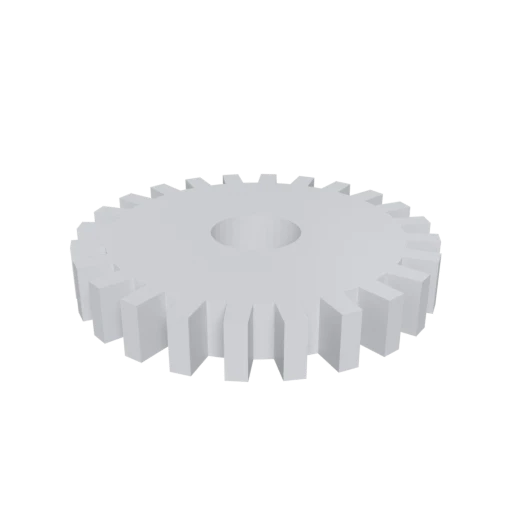
Simple mechanical part, a typical STL use case for 3D printing.
PLY is the standard format for point cloud data used in 3D scanning, photogrammetry, and scientific visualization tools like MeshLab and CloudCompare.
PLY uses a self-describing ASCII header that defines custom per-vertex and per-face properties, making it adaptable to research and specialized workflows.
PLY is the native format for MeshLab, CloudCompare, and many academic geometry processing libraries, making it ideal for analysis and measurement tasks.
Also convert from STL
Other ways to get PLY
How to Convert STL to PLY
One file is all you need. No companion files, no textures to manage.
Upload STL
Drag and drop or select your .stl file. STL is a single-file format with no external dependencies; one file is all you need.
Processing
Conversion runs entirely in your browser. The triangle mesh is extracted from your STL and written into PLY format with vertex positions, face indices, and normals preserved. Your data never leaves your device.
Download PLY
Get your ready to use PLY file immediately. Your geometry is now in a format ready for MeshLab, CloudCompare, and other scientific visualization tools.
Why convert STL to PLY?
STL, created by 3D Systems in 1987, stores triangulated surfaces as bare vertex coordinates and face normals. It has no support for color, materials, custom attributes, or any metadata beyond the geometry itself. This minimalism works well for 3D printing slicers, but limits what you can do when analyzing, visualizing, or processing meshes in scientific and research contexts.
PLY, developed at Stanford in the mid-1990s for the Digital Michelangelo Project, was designed specifically for rich geometric data. Its self-describing header lets each file declare exactly which properties are stored per vertex and per face, including color channels, normals, confidence values, and custom attributes. This flexibility, combined with native support in tools like MeshLab and CloudCompare, makes PLY the preferred format for 3D scanning, photogrammetry, and computational geometry research. Converting STL to PLY moves your mesh into an ecosystem built for inspection, measurement, and analysis.
Key advantages of PLY over STL
PLY stores RGBA color values per vertex, adding visual information STL cannot carry.
PLY's flexible header allows arbitrary per-element attributes like confidence or intensity.
PLY is the standard format for point cloud data in scanning and photogrammetry pipelines.
MeshLab uses PLY as its primary format for mesh analysis, filtering, and repair.
The ASCII header declares all properties explicitly, making files easy to parse and validate.
Academic geometry processing libraries and publications commonly use PLY as their data format.