Convert STL to 3MF Online
Convert STereoLithography (STL) files to 3D Manufacturing Format (3MF), entirely in your browser. No upload, no sign-up. Your files never leave your device.
Drop your STL file here
or click to browse from your computer (up to 100 MB)
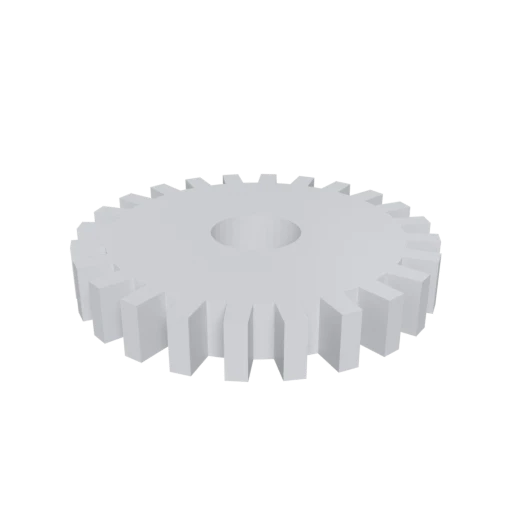
Simple mechanical part, a typical STL use case for 3D printing.
3MF was designed by the 3MF Consortium as a direct successor to STL for 3D printing. Converting your STL files to 3MF gives you the same geometry with added support for colors, materials, multi-part assemblies, and print metadata that STL cannot store.
STL stores every triangle independently with duplicated vertex data, leading to bloated files. 3MF uses indexed vertex references in a ZIP-compressed XML archive, producing significantly smaller files without any geometric loss.
Cura, PrusaSlicer, BambuStudio, and Simplify3D all recommend 3MF over STL as their preferred import format. Many slicer features, like per-object print settings and multi-material assignments, only work with 3MF files.
Also convert from STL
Other ways to get 3MF
How to Convert STL to 3MF
Upgrade your STL to the modern 3MF format for better slicer compatibility. No install needed.
Upload STL
Drag and drop or select your .stl file. Both binary and ASCII STL files are supported.
Processing
Conversion runs entirely in your browser. Triangle mesh data is read from the STL, deduplicated, indexed, and packaged into the 3MF XML structure. Your data never leaves your device.
Download 3MF
Get your .3mf file, typically much smaller than the original STL. Open it in any major slicer and enjoy features like per-object settings that are only available with 3MF.
Why convert STL to 3MF?
STL (STereoLithography) has been the de facto file format for 3D printing since Chuck Hull and 3D Systems introduced stereolithography in 1987. It describes geometry as an unstructured list of triangular facets, each defined by three vertices and a unit normal vector. The format exists in both ASCII and binary variants. While its simplicity made it easy to implement and widely adopted, STL carries significant limitations: no color or material data, no support for units or scale, no multi-part organization, and redundant vertex storage that inflates file sizes.
3MF was created specifically to address every limitation of STL. Developed by the 3MF Consortium, whose founding members include Microsoft, HP, Autodesk, and Stratasys, it uses an XML-based ZIP archive following the Open Packaging Conventions to store indexed mesh geometry, per-triangle colors, material definitions, named components, build plate layout, and print tickets in a single compact file. Converting STL to 3MF is the most impactful format upgrade in a 3D printing workflow, delivering smaller files, richer metadata, and full compatibility with every modern slicer's advanced features.
Key advantages of 3MF over STL
3MF can store per-triangle colors and material properties that STL has no way to represent, enabling full-color and multi-material prints.
ZIP compression and indexed vertex storage eliminate STL's redundant vertex duplication, producing significantly more compact files.
3MF defines measurement units in the file specification, eliminating the common STL problem of models importing at the wrong scale.
Complex prints can be organized as individually named build items with their own transforms, whereas STL can only represent a single undifferentiated triangle soup.
3MF can embed slicer profiles, support structures, and per-object print parameters through its extension system, data that would be lost when sharing an STL.