Convert USDZ to 3MF Online
Convert Universal Scene Description (USDZ) files to 3D Manufacturing Format (3MF), entirely in your browser. No upload, no sign-up. Your files never leave your device.
Drop your USDZ file here
or click to browse from your computer (up to 100 MB)
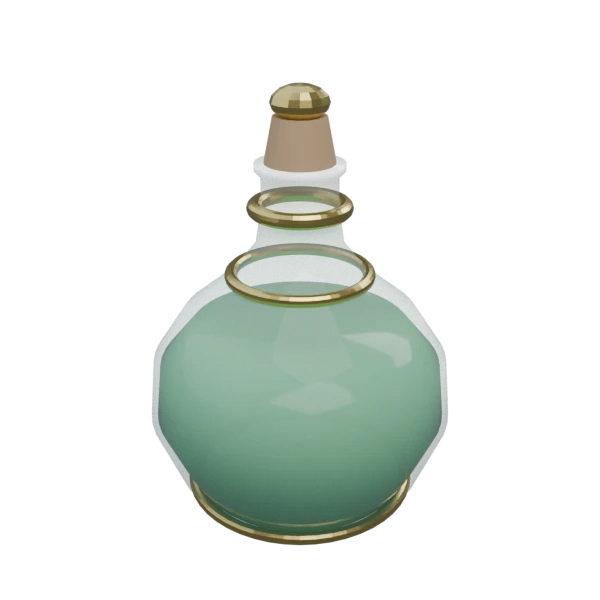
Decorative potion bottle with glass body, gold trim bands, and cork stopper — multi-material USDZ model for format conversion testing.
USDZ models are designed for Apple's AR Quick Look and immersive experiences. Converting to 3MF lets you take a model you have been previewing in augmented reality and turn it into a physical 3D print.
USDZ's PBR material properties (base color, metallic, roughness) are translated to 3MF's color and material definitions. Surface colors are preserved so your printed object reflects the model's intended appearance on multi-color printers.
No slicer can open USDZ files directly. Converting to 3MF gives you a file that every major slicer, including Cura, PrusaSlicer, and BambuStudio, imports natively without plugins or additional conversion steps.
Also convert from USDZ
How to Convert USDZ to 3MF
Convert your USDZ AR model to a print-ready 3MF. No server upload, fully browser-based.
Upload USDZ
Drag and drop or select your .usdz file. USDZ is a self-contained archive so a single file is all you need.
Processing
Conversion runs entirely in your browser. The USDZ archive is parsed, geometry and materials are extracted, and the model is repackaged into the 3MF format. Your data never leaves your device.
Download 3MF
Get your .3mf file and open it directly in your preferred slicer. The model is ready for print preparation: positioning, scaling, and support generation.
Why convert USDZ to 3MF?
USDZ is a packaged form of Pixar's Universal Scene Description format, adopted by Apple in 2018 for AR Quick Look on iOS and macOS. It bundles USD geometry, PBR materials, textures, and animations into a single uncompressed ZIP archive optimized for instant loading on Apple devices. While USDZ has become the dominant format for augmented reality product previews and spatial computing, it is absent from 3D printing workflows. No slicer software can import USDZ files, and the format's focus on rendering fidelity means it carries no manufacturing-relevant metadata.
3MF (3D Manufacturing Format) was created in 2015 by the 3MF Consortium, with founding members including Microsoft, HP, Autodesk, and Stratasys. It stores mesh geometry, per-triangle colors, named components, and build plate configuration in a compact ZIP-based OPC package. Converting USDZ to 3MF extracts the printable geometry and surface colors from your AR model while discarding rendering-specific data like PBR shader graphs and skeletal animations. The result is a clean, manufacturing-focused file that any slicer can work with immediately.
Key advantages of 3MF over USDZ for 3D printing
3MF is supported by every major slicer out of the box, while USDZ cannot be imported by any 3D printing software.
3MF stores only geometry, colors, and build metadata, without the PBR shaders, animations, and scene graphs that USDZ carries for rendering.
3MF can define part placement, orientation, and scale on the print bed, capabilities that USDZ was never designed to provide.
3MF specifies dimensions in millimeters by default, while USDZ uses arbitrary scene units intended for screen-based AR display.
3MF is maintained by a consortium of printer manufacturers and software vendors, ensuring it evolves alongside additive manufacturing technology.