Convert GLTF to DAE Online
Convert GL Transmission Format (glTF) files to COLLADA Digital Asset Exchange (DAE), entirely in your browser. No upload, no sign-up. Your files never leave your device.
Drop your GLTF files here
Select your .gltf file along with its .mtl and texture files (up to 100 MB)
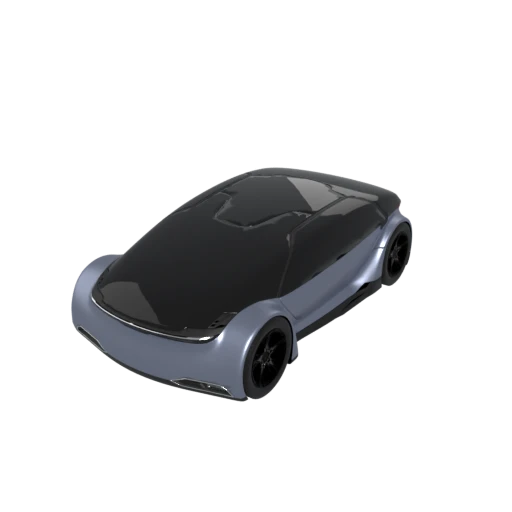
Detailed car model with PBR materials in glTF JSON format.
glTF splits data across a JSON file and one or more binary buffers. COLLADA consolidates the full scene into a single self describing XML document, simplifying file management and version control.
glTF's PBR metallic roughness materials are not supported by many older renderers. DAE uses Phong, Lambert, and Blinn shading models that virtually every DCC tool interprets correctly.
COLLADA can embed cameras, lights, physics simulations, and kinematics data alongside geometry. These capabilities extend well beyond what glTF covers in its core specification.
Also convert from GLTF
How to Convert GLTF to DAE
Convert your glTF scene to a COLLADA DAE archive ready for any DCC tool.
Upload GLTF
Drag and drop or select your .gltf file along with its companion .bin buffer. Both files are needed for a complete conversion.
Processing
Conversion runs entirely in your browser. The glTF JSON and binary buffer are parsed, and geometry, materials, and textures are written as COLLADA XML. Your data never leaves your device.
Download ZIP
Get a ZIP archive containing the .dae XML file and referenced texture images. Import the .dae directly into Blender, Maya, SketchUp, or any COLLADA-compatible application.
Why convert glTF to DAE?
glTF (GL Transmission Format) is a Khronos Group standard that pairs a JSON scene description with separate binary buffer files for efficient real time 3D delivery. It excels at compact, GPU friendly packaging for web viewers and game engines, but its multi file architecture and PBR metallic roughness material model can be difficult to work with in traditional modeling and animation tools that expect a single, readable interchange document.
COLLADA (DAE) is an XML based open standard, also from the Khronos Group, designed specifically for asset interchange between content creation applications. It stores geometry, Phong and Lambert materials, skeletal animations, cameras, lights, and scene hierarchy in a single structured XML file. Blender, Maya, 3ds Max, SketchUp, and Cinema 4D all read DAE natively. Converting glTF to DAE gives you a format that traditional production pipelines can consume without additional plugins or conversion steps.
Key advantages of DAE over glTF
DAE stores the complete scene in a single XML document instead of splitting it across JSON and separate binary buffer files.
Phong, Lambert, and Blinn materials in DAE are understood by virtually every renderer, including older tools that lack PBR support.
Blender, Maya, 3ds Max, SketchUp, and Cinema 4D all load COLLADA files without requiring third party plugins.
COLLADA can store camera and light definitions as part of the scene, going beyond what glTF supports in its core specification.
Standard XML parsers, XSLT transforms, and schema validators work directly on DAE files for automated asset pipeline integration.