Convert FBX to DAE Online
Convert Autodesk FBX (Filmbox) files to COLLADA Digital Asset Exchange (DAE), entirely in your browser. No upload, no sign-up. Your files never leave your device.
Drop your FBX file here
or click to browse from your computer (up to 100 MB)
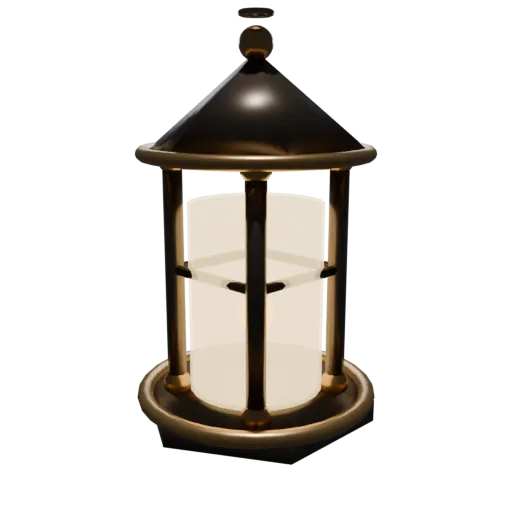
Medieval lantern with dark iron, bronze accents, and warm glass — multi-material FBX model for format conversion testing.
FBX is a proprietary Autodesk format with a closed binary specification. COLLADA is an open Khronos Group standard with a published XML schema, freeing your assets from vendor dependency.
FBX files (in both binary and ASCII variants) typically require the Autodesk SDK to parse reliably. DAE stores everything as structured XML you can open, search, and debug with any text editor.
FBX import quality varies across non Autodesk tools. COLLADA delivers consistent results in Blender, SketchUp, Cinema 4D, and game engines like Unity and Godot.
Also convert from FBX
Other ways to get DAE
How to Convert FBX to DAE
Convert proprietary FBX files to open COLLADA DAE for vendor-neutral asset interchange.
Upload FBX
Drag and drop or select your .fbx file. Both binary and ASCII FBX variants are supported.
Processing
Conversion runs entirely in your browser. Geometry, materials, and scene structure are extracted from the FBX binary and written as COLLADA XML with texture references. Your data never leaves your device.
Download ZIP
Get a ZIP archive containing the .dae XML file and any extracted texture images. Import the .dae into any COLLADA-compatible DCC tool or game engine.
Why convert FBX to DAE?
FBX was originally developed by Kaydara as FilmBox and is now a proprietary format owned by Autodesk. It is widely used in game development and animation pipelines because it supports geometry, materials, skeletal animations, blend shapes, and scene hierarchy. However, its proprietary binary specification means third party tools must either license the Autodesk FBX SDK or reverse engineer the format, which often leads to inconsistent import results across non Autodesk applications.
COLLADA (DAE) is an open XML standard governed by the Khronos Group, designed specifically for reliable asset interchange between different content creation tools. Its published schema ensures consistent interpretation across Blender, Maya, SketchUp, Cinema 4D, Unity, and Godot. Converting FBX to DAE moves your assets from a closed proprietary binary into an open, inspectable, and widely supported format that any team member can work with regardless of their toolchain.
Key advantages of DAE over FBX
COLLADA has an open, published XML schema maintained by the Khronos Group, while FBX relies on Autodesk's proprietary SDK.
DAE files are structured XML you can examine and debug with any text editor, unlike FBX's opaque binary encoding.
COLLADA's open specification produces consistent import results across tools, reducing the variability common with FBX.
DAE is governed by a standards consortium rather than a single company, eliminating vendor dependency from your asset pipeline.
DAE files can be checked against the official COLLADA schema programmatically, catching structural errors before they reach your DCC tool.