Convert OBJ to DAE Online
Convert Wavefront OBJ files to COLLADA Digital Asset Exchange (DAE), entirely in your browser. No upload, no sign-up. Your files never leave your device.
Drop your OBJ files here
Select your .obj file along with its .mtl and texture files (up to 100 MB)
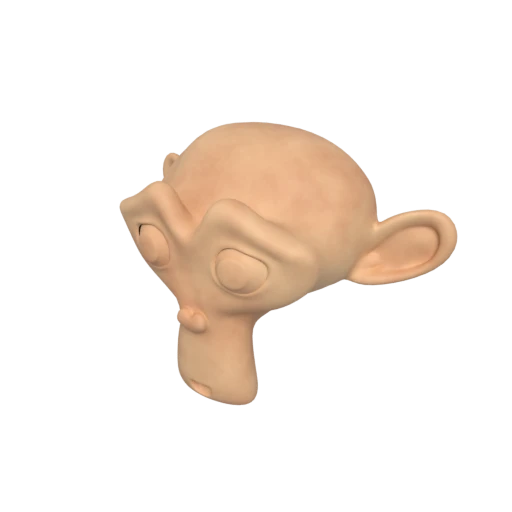
Suzanne with baked texture — demonstrates OBJ + MTL + texture conversion.
OBJ stores geometry as a flat list of vertices and faces. COLLADA organizes objects into a proper node tree with named groups and transform chains, making complex multi part models far easier to manage.
The MTL companion file used by OBJ is limited to basic Phong properties. COLLADA supports Phong, Lambert, and Blinn shading with structured, layered texture definitions for richer surface descriptions.
OBJ has no support for cameras or lights. COLLADA embeds these scene elements alongside geometry, so you can transfer a full environment to your DCC tool in a single file.
Also convert from OBJ
Other ways to get DAE
How to Convert OBJ to DAE
Upgrade your OBJ files to COLLADA DAE with structured materials and scene hierarchy.
Upload OBJ
Drag and drop or select your .obj file. If you have a companion .mtl material file and textures, include them for full material conversion.
Processing
Conversion runs entirely in your browser. Geometry and material definitions from OBJ/MTL are parsed and written as structured COLLADA XML with texture references. Your data never leaves your device.
Download ZIP
Get a ZIP archive containing the .dae XML file and any texture images. Import the .dae into Blender, Maya, SketchUp, or any COLLADA-compatible tool.
Why convert OBJ to DAE?
Wavefront OBJ was developed by Wavefront Technologies and remains one of the most universally supported 3D geometry formats. It stores vertices, normals, texture coordinates, and face definitions as plain ASCII text, with an optional MTL file for basic Phong material properties. This simplicity makes OBJ easy to parse but also limits it: the format has no support for scene hierarchy, animations, cameras, or lights, and its material model cannot express complex surface shading.
COLLADA (DAE) is an XML based open standard maintained by the Khronos Group, purpose built for comprehensive asset interchange between content creation tools. It structures geometry into named node hierarchies, supports Phong, Lambert, and Blinn materials with layered textures, and can carry animations, cameras, and lights in a single readable document. Blender, Maya, 3ds Max, SketchUp, and Cinema 4D all import DAE natively. Converting OBJ to DAE upgrades static meshes into a format ready for complex production and animation pipelines.
Key advantages of DAE over OBJ
DAE organizes objects in a node tree with named groups and transforms, while OBJ stores geometry as a flat vertex and face list.
COLLADA supports skeletal animations, morph targets, and keyframe channels that the OBJ format cannot represent at all.
DAE uses typed effect profiles with Phong, Lambert, and Blinn shading, going well beyond the basic properties in MTL files.
COLLADA stores camera and light definitions as part of the scene, enabling full environment transfer in one file.
DAE files conform to a published XML schema, allowing automated checks that catch structural errors before DCC import.