Convert 3DS to GLTF Online
Convert Autodesk 3D Studio (3DS) files to GL Transmission Format (glTF), entirely in your browser. No upload, no sign-up. Your files never leave your device.
Drop your 3DS file here
or click to browse from your computer (up to 100 MB)
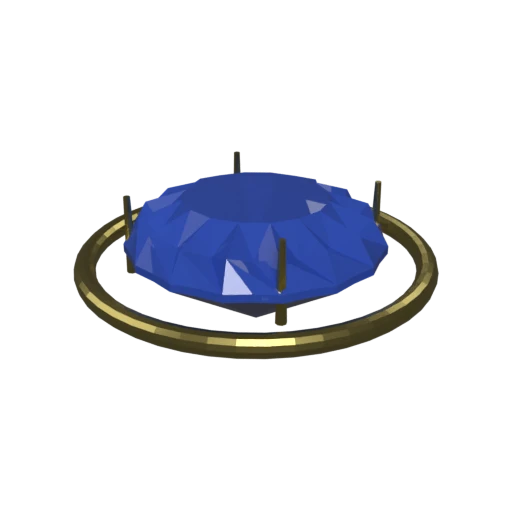
Brilliant-cut sapphire in a gold prong setting — multi-material 3DS model with faceted geometry.
3DS is an opaque binary format. glTF uses JSON to describe scenes, making assets easy to inspect, debug, and modify with a text editor.
3DS materials are limited to basic Phong properties. glTF supports PBR metallic-roughness materials for physically accurate rendering across engines.
3DS restricts each mesh to 65,536 vertices. glTF imposes no such cap, allowing high-resolution geometry without splitting meshes.
Also convert from 3DS
Other ways to get GLTF
How to Convert 3DS to GLTF
Convert your legacy 3DS model to an inspectable, modern glTF file.
Upload 3DS
Drag and drop or select your .3ds file. 3DS stores meshes and materials in a compact binary container from the early 1990s.
Processing
Conversion runs entirely in your browser. Meshes and material definitions are extracted from the 3DS binary and mapped to glTF's JSON structure with PBR materials. Your data never leaves your device.
Download glTF
Get your glTF file with materials preserved. The JSON structure is easy to inspect, and assets load natively in web viewers and game engines.
Why convert 3DS to glTF?
3DS was the native format of Autodesk's 3D Studio for DOS, a pioneering application from the early 1990s. Its chunk-based binary layout stores triangle meshes, Phong materials, texture references, and basic keyframe animation data. While the format served well for its era, it carries hard restrictions: 65,536 vertices per mesh, a single UV channel, and 8.3 character filename limits for texture paths. These constraints make 3DS impractical for modern high-resolution models and web-based workflows.
glTF, maintained by the Khronos Group, uses a human-readable JSON file to describe scene graphs, materials, and animations, with binary buffers and textures stored as separate referenced files. This separation makes version control, inspection, and selective updates straightforward. The format supports PBR materials, skeletal animation, and morph targets. Converting 3DS to glTF removes legacy vertex limits, upgrades materials to a modern rendering model, and produces assets that are natively compatible with three.js, Unity, Unreal Engine, and Blender.
Key advantages of glTF over 3DS
The glTF manifest is plain JSON, easy to inspect and debug with any text editor.
glTF removes the 3DS restriction of 65,536 vertices per mesh.
glTF uses physically based metallic-roughness workflow for realistic rendering.
JSON text plus separate binaries work well with Git and diff tools.
glTF is an ISO-ratified Khronos Group standard with broad adoption.
Replace individual textures or buffers without reprocessing the whole model.