Convert STP to STL Online
Convert STEP (Standard for the Exchange of Product Data) files to STereoLithography (STL), entirely in your browser. No upload, no sign-up. Your files never leave your device.
Drop your STP file here
or click to browse from your computer (up to 100 MB)
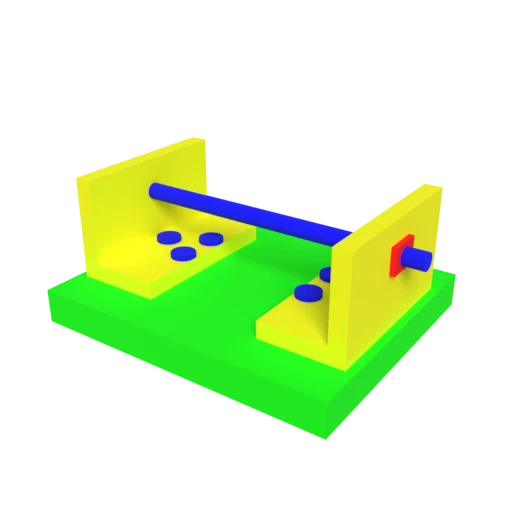
CAD bracket assembly — typical STEP engineering model for format conversion testing.
STL is the universal format for 3D printers and slicing software. Converting STEP to STL prepares CAD models for additive manufacturing.
STL stores only triangle geometry with no materials or textures, producing clean meshes ideal for fabrication and analysis.
Many CNC and CAM tools accept STL input. This conversion bridges parametric CAD design and computer-aided manufacturing.
Also convert from STP
Other ways to get STL
How to Convert STP to STL
Convert your CAD STEP file to an STL mesh for 3D printing and fabrication.
Upload STP
Drag and drop or select your .stp file. STEP stores exact mathematical surfaces using boundary representation, the standard format for CAD data exchange.
Processing
Conversion runs entirely in your browser. B-rep surfaces are tessellated into a watertight triangle mesh ready for fabrication. Your data never leaves your device.
Download STL
Get your STL file ready for slicing. Import it directly into Cura, PrusaSlicer, or your preferred slicer to prepare for 3D printing.
Why convert STEP to STL?
STEP is the preferred format for sharing precise CAD geometry between engineering applications. Its boundary representation stores exact mathematical surfaces, making it ideal for design iteration and manufacturing specification. However, fabrication workflows such as 3D printing, CNC milling, and simulation often require tessellated surface meshes rather than parametric definitions. Tools in these domains expect triangle-based input that describes the physical surface of a part.
STL represents 3D surfaces as collections of triangles, each defined by three vertices and a face normal. It is the standard input format for virtually all 3D printing slicers, many CNC and CAM applications, and finite element analysis preprocessors. Converting STEP to STL tessellates B-rep surfaces into a triangle mesh, producing a file ready for additive manufacturing, toolpath generation, or structural simulation without requiring CAD software.
Key advantages of STL over STEP
Accepted by every slicer and 3D printing service.
Triangles-only format is straightforward to process and validate.
Many CAM tools import STL directly for toolpath generation.
FEA and CFD tools use triangulated surfaces as input geometry.
Opens in free tools like MeshLab, Cura, and PrusaSlicer.
Binary STL is efficient for storing dense triangle data.
STP vs STL
| Feature | STP | STL |
|---|---|---|
| Geometry type | Exact B-Rep (NURBS, analytical surfaces) | Tessellated triangles |
| Precision | Mathematically exact | Approximated by tessellation density |
| Materials | Minimal (face colors) | None |
| Assembly support | Full assembly structure | None (single mesh) |
| Primary domain | CAD / engineering | 3D printing / CNC |
| Specification | ISO 10303 | De facto standard (no formal spec) |
| Editability | Full parametric editing in CAD | Triangle mesh only |
When to Use Each Format
Use STP when
- You need to preserve exact surface geometry for engineering or manufacturing
- Exchanging designs between different CAD packages
- The model requires parametric editing (changing dimensions, features)
- Regulatory or contractual requirements mandate an ISO-standard format
Use STL when
- Sending a part directly to a 3D printer or slicer
- The manufacturing tool only accepts STL
- You need a simple triangle mesh for CNC toolpath generation
- Visual quality matters less than printability and tool compatibility
Known Limitations
Tessellation is irreversible. Exact NURBS surfaces become triangle approximations, and the mathematical definitions are permanently lost
Assembly structure is flattened into a single triangle mesh. Individual part boundaries are not preserved
STL has no material, color, or texture support. Face colors from the STEP file are discarded
Curved surfaces require dense tessellation to avoid visible faceting. This can produce very large STL files for complex parts
STP to STL FAQ
Is this the standard way to prepare CAD models for 3D printing?
Yes. STEP to STL is one of the most common CAD-to-print workflows. Every major CAD program (SolidWorks, Fusion 360, CATIA, FreeCAD) supports this export path, and every 3D printer slicer reads STL.
How do I get smooth surfaces without huge file sizes?
Adjust the tessellation tolerance. A tighter tolerance produces smoother curves with more triangles and a larger file. Start with the default and increase detail only for areas where faceting is visible. Most slicers handle moderate triangle counts well.
What happens to my assembly?
All parts are merged into a single triangle mesh. Part names, assembly constraints, and spatial groupings are lost. If you need separate parts, convert each component individually.
Can I convert the STL back to STEP?
Not directly. STL contains only triangles, while STEP stores exact mathematical surfaces. Reconstructing a parametric CAD model from a triangle mesh requires specialized reverse-engineering software and is never fully automated.