Convert GLB to GLTF Online
Convert GL Transmission Format Binary (GLB) files to GL Transmission Format (glTF), entirely in your browser. No upload, no sign-up. Your files never leave your device.
Drop your GLB file here
or click to browse from your computer (up to 100 MB)
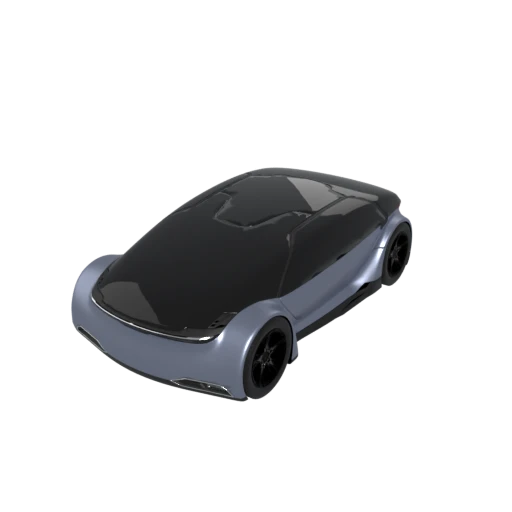
Detailed car model with PBR materials and textures.
Textures and binary buffers are stored as individual files alongside the JSON document, allowing you to swap or update assets independently without reprocessing the entire model.
Both GLB and glTF are part of the Khronos Group glTF 2.0 specification (ISO/IEC 12113:2022). Unpacking to glTF preserves every feature, including PBR materials, animations, and scene hierarchy, with zero data loss.
Because the scene graph lives in a text based JSON file, glTF integrates naturally with Git and other version control systems. Diffs and merge conflicts become manageable compared to opaque binary containers.
Other ways to get GLTF
How to Convert GLB to GLTF
Unpack a binary GLB into its editable glTF components.
Upload GLB
Drag and drop or select your .glb file. GLB is a self contained binary format so a single file is all you need.
Processing
Conversion runs entirely in your browser. The binary container is split into a JSON scene description and separate buffer and texture files. Your data never leaves your device.
Download glTF
Get your ready to use glTF file set, including the .gltf JSON document and any associated .bin and texture files packaged in a ZIP archive.
Why convert GLB to glTF?
GLB is the binary packaging of glTF 2.0, the open standard maintained by the Khronos Group and widely adopted as the preferred format for real time 3D on the web, in AR applications, and across game engines. A GLB file bundles the JSON scene description, binary geometry buffers, and texture images into a single opaque binary. This makes it compact and convenient for distribution, but difficult to inspect or modify without specialized tools.
Converting to the multi file glTF representation exposes the scene graph as plain JSON that you can read, edit, and diff with standard development tools. Textures become standalone image files you can open in any editor, and buffer data is separated into .bin files. This layout is ideal for development workflows where you need to tweak materials, debug node hierarchies, or integrate 3D assets into automated build pipelines. Since both formats share the same glTF 2.0 specification, the conversion is lossless and fully reversible.
Key advantages of glTF over GLB
The JSON scene description can be opened, searched, and edited in any text editor.
Textures and buffers are separate files that can be swapped or optimized without touching the scene graph.
Text based JSON diffs cleanly in Git, making collaborative 3D workflows more practical.
Standard JSON parsers in any programming language can read and transform glTF scene data programmatically.
Inspecting individual files is faster than parsing a monolithic binary when tracking down material or geometry issues.
Both formats implement the identical glTF 2.0 specification, so no data is lost during conversion in either direction.
GLB vs GLTF
| Feature | GLB | GLTF |
|---|---|---|
| File structure | Single binary file (.glb) | JSON file + separate .bin + texture images |
| Animation | Fully supported | Fully supported (identical spec) |
| Materials | PBR metallic-roughness + extensions | PBR metallic-roughness + extensions |
| Textures | Embedded inside binary | External image files referenced by path |
| Editability | Requires a parser to inspect | JSON is human-readable and editable |
| Distribution | One file, easy to share | Multiple files, needs a ZIP for sharing |
| File size | Slightly smaller (binary overhead only) | JSON + binary can be marginally larger |
When to Use Each Format
Use GLB when
- Distributing a single file with everything embedded
- Uploading to platforms or AR viewers that expect one file
- File size and simplicity of delivery are priorities
- You don't need to edit the scene description by hand
Use GLTF when
- You want to inspect or hand-edit the scene JSON with a text editor
- Your pipeline processes textures separately from geometry
- You need to swap out individual textures without re-exporting the whole asset
- Debugging or learning how a glTF scene is structured
Known Limitations
This conversion is practically lossless since GLB and GLTF are two packaging modes of the same specification
The output is multiple files (JSON + binary buffer + textures), so it must be zipped for sharing
Relative file paths in the JSON can break if you move files without updating references
Some tools only accept GLB and won't load a multi-file GLTF folder
GLB to GLTF FAQ
Is any data lost when converting GLB to GLTF?
No. GLB and GLTF are two packaging formats for the exact same glTF 2.0 specification. All geometry, materials, animations, and extensions are preserved. The only difference is how the data is packaged.
Why would I want separate files instead of one GLB?
Separate files let you inspect the JSON scene description in a text editor, swap textures individually, and integrate more easily into pipelines that process geometry and images as separate assets.
Can I convert back to GLB without losing anything?
Yes. The round trip is lossless. You can go from GLB to GLTF and back as many times as you need.
How do I share a GLTF file with someone?
Zip all the files together (the .gltf JSON, the .bin buffer, and all texture images). The recipient needs to extract them into the same folder structure for the paths to work correctly. Polyforge does this for you automatically.